




Description
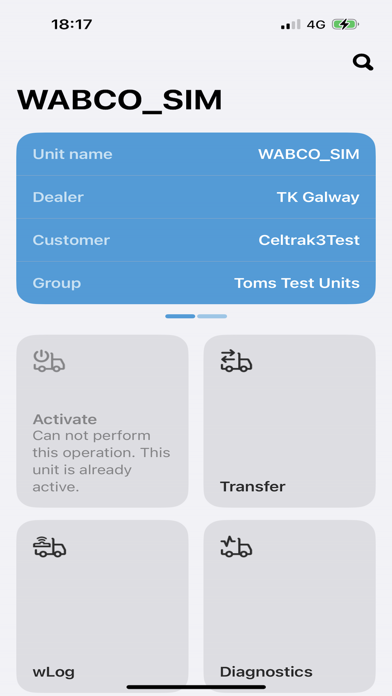
TKTechnician allows authorised users to activate & transfer BlueBox Units on TracKing, run Diagnostics for a Bluebox 2 Unit over BLE, add wLog devices to any Unit on TracKing ********************* P
TKTechnician allows authorised users to activate & transfer BlueBox Units on  TracKing, run Diagnostics for a Bluebox 2 Unit over BLE, add wLog devices to any Unit on TracKing

*********************
Please note; you must have a TracKing login and be an authorised User of the App to uses the features
*********************

TKActivate allows authorised users to:
* Activate a Bluebox Unit and interact with it on TracKing
* Transfer a BlueBox Unit from one Customer to another
* Run Diagnostics on a Bluebox 2 Unit over BLE
* Add wLog devices to any Unit in TracKing

The Unit can be identified by scanning the Unit\Thermoking Reefer Serial Number or by entering the Serial Number manually

Once entered, the user can retrieve the unit information from TracKing and activate\transfer the unit as required

For more details please refer to the TKActivate Help located in the Settings Screen

For more information contact: tracking [email protected]
