ClipBatch is a fully native macOS app built to make it simple for large video and image batch workflows that has a unique timeline editor that works without keyframes and over 40 hot keys, 37 single p
ClipBatch is a fully native macOS app built to make it simple for large video and image batch workflows that has a unique timeline editor that works without keyframes and over 40 hot keys, 37 single purpose utility tools, and 30 stylized templates  The app runs entirely local on your own machine  using Swift and Metal.

One-time purchase with lifetime updates, no cloud services, and no Electron wrapper.

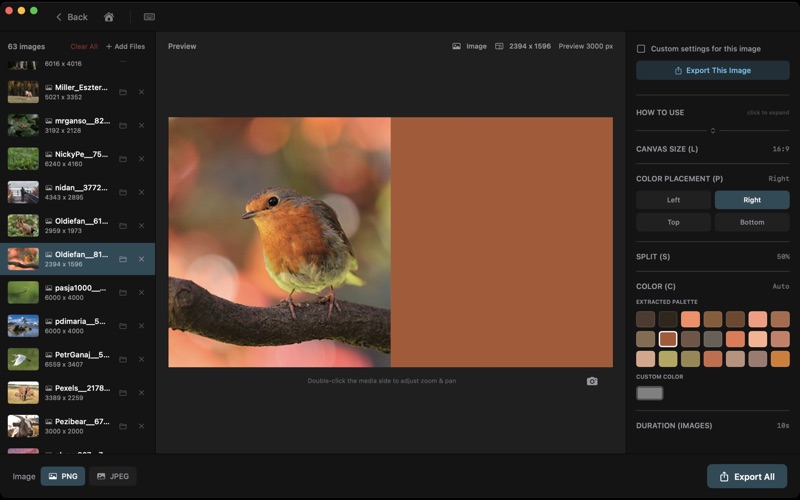
Several features and tools can save enormous amounts of time for specific tasks versus full-scale editors, in some cases removing several steps entirely. For example, drop in 100 videos and automatically fit each video across 17 different aspect ratios and apply a blur fill background, and export all 1,700 files in a single batch process in one process.

I originally built ClipBatch to solve some of my own challenges working with large batches of videos and images in traditional tools. And over time it's developed into a focused set of tools optimized for speed and automation.

Utility Tools
37 standalone tools for batch media processing that's simple to use, yet powerful. Drop in your files, adjust settings and controls, and export. Tools cover video trimming, audio extraction, multi-view, Ken Burns effect, color grading with LUT support, GIF creation, annotations, stop motion, background removal, and several more.

Templates
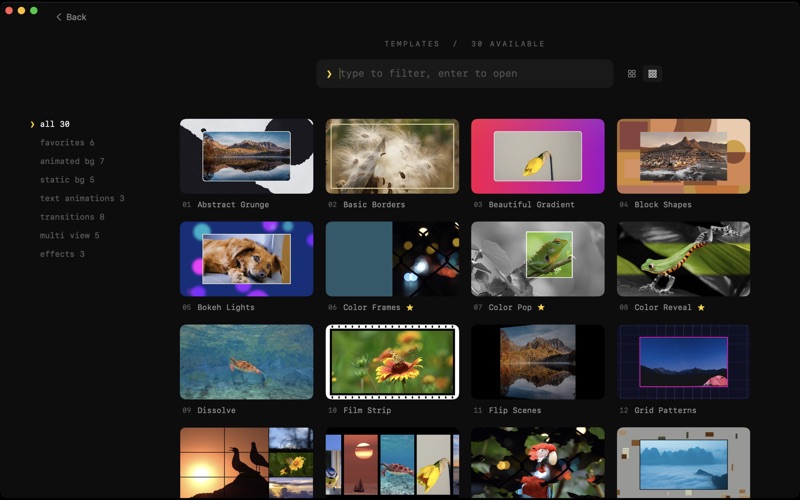
30 stylized templates across animated backgrounds, static backgrounds, transitions, and text animations. Drop your media, adjust the look, and batch export.

Timeline Editor
A playlist-style timeline where each clip is a vertical bar with no gaps and no manual alignment. Reorder clips instantly, apply changes across all segments at once, batch exporting, and see your entire project at a glance. Fast reordering one or many clips at once, including sending a selected group to a specific position in the timeline. Sort the entire timeline by duration, filename, or random shuffle (ascending or descending). Drag and drop multiple files into the timeline; clips are placed automatically with no manual alignment.

There are also over 40 hot keys for faster navigation and editing, cropping and framing, and filtering the timeline.

Timeline and Organization
* Fast reordering one or many clips at once, including sending a selected group to a specific position in the timeline.
* Sort the entire timeline by duration, filename, or random shuffle (ascending or descending).
* Drag and drop multiple files into the timeline; clips are placed automatically with no manual alignment.

Editing and Trimming
* Trim start and end times for clips, with the option to apply the same trim to all clips in one action.
* Video and embedded audio trim together automatically to stay in sync.
* External audio is managed on a separate audio-track timeline.

Exporting
* Export to up to 18 aspect ratios, including cinematic formats such as 1.85, 2.00, 2.20, 2.39, and 2.76.
* Batch export the entire timeline across multiple aspect ratios in one run.
* Per-clip batch export to generate separate files for each segment.
* Export custom selections (only chosen clips when needed).

Filtering and Metadata
* Filter clips by frame rate or color labels.
* Add notes and metadata to individual clips, with optional inclusion in exported files.

Cropping and Framing
* Set crop positions and zoom levels for start and end frames with precise controls.
* Tools for centering and reframing clips across segments when needed.

System Requirements
Apple Silicon Mac
macOS 15.0 or later