NEVER MISS WHAT MATTERS
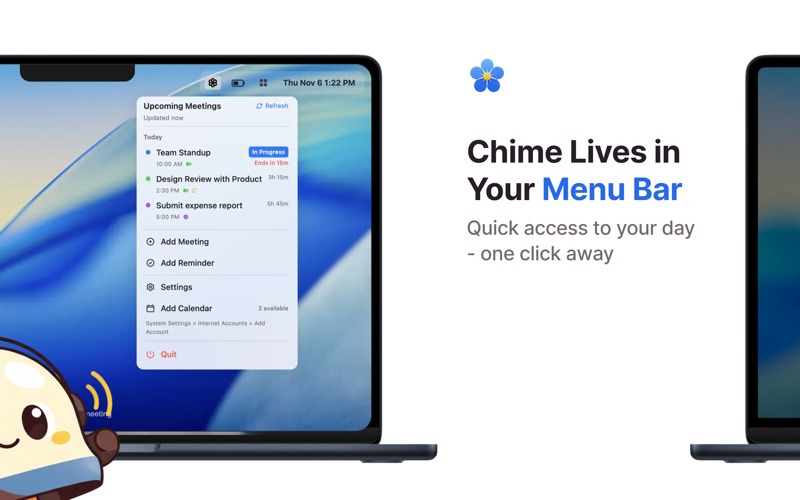
Chime is a macOS menu bar app that turns upcoming meetings, Apple Reminders and Todoist tasks into clear, full-screen alerts
NEVER MISS WHAT MATTERS

Chime is a macOS menu bar app that turns upcoming meetings, Apple Reminders and Todoist tasks into clear, full-screen alerts. It is designed for people who need stronger cues than ordinary notifications, including people with ADHD and busy remote workers.

ALERTS THAT BREAK THROUGH DISTRACTION

• Full-screen, FaceTime-inspired alert design
• Works across connected displays
• One-click joining for detected meeting links
• Snooze and dismiss controls
• Standard and custom alert timing
• Multiple alert sounds for Premium users

YOUR SCHEDULE IN ONE PLACE

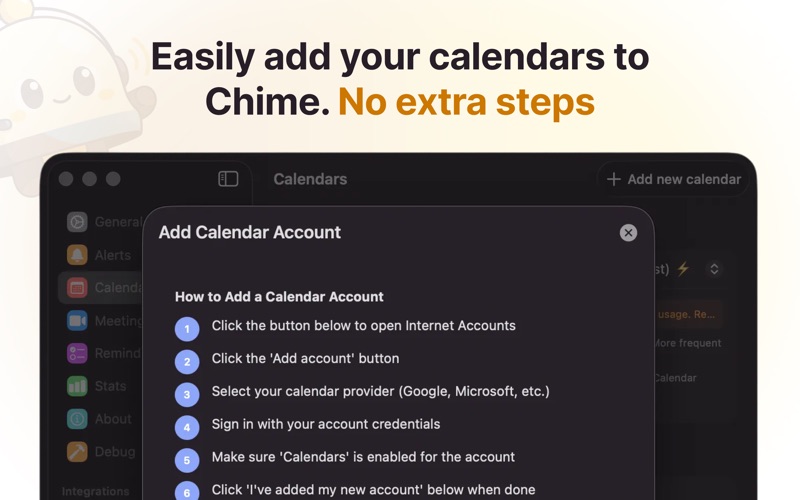
• Calendar events from iCloud, Google, Exchange and other calendars available through macOS
• Apple Reminders with due dates
• Optional Todoist task integration
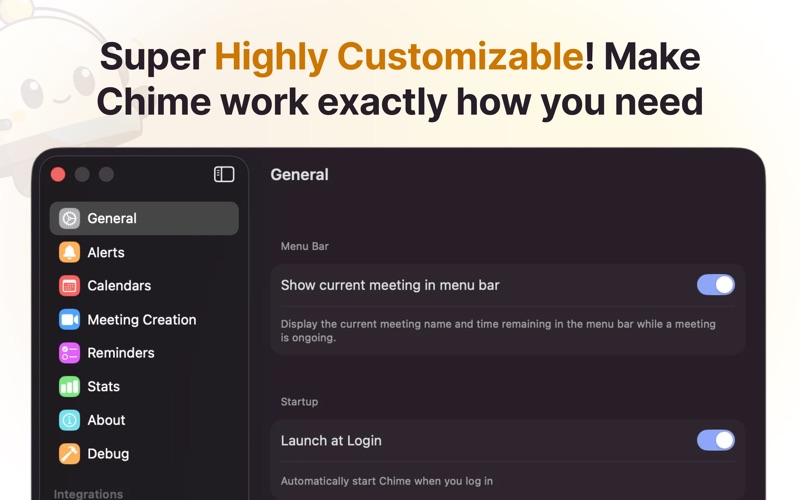
• Menu bar countdown to your next commitment
• Week view for upcoming events

SMART MEETING DETECTION

Chime detects links for Zoom, Microsoft Teams, Google Meet, Webex and many other meeting services, so you can join directly from the alert.

START WITH VALUE

Your 14-day trial begins only after Chime successfully shows an eligible full-screen alert with Calendar access—not simply when you install or launch the app.

After the trial, Chime remains useful for free:
• Choose one calendar
• Receive one full-screen calendar alert per day
• Later eligible events fall back to standard banner notifications
• Continue using basic meeting-link detection with standard timing and sound

Upgrade to unlock all calendars, unlimited full-screen alerts, Apple Reminders, Todoist, custom timing and sounds, multi-monitor controls, statistics and advanced settings.

PRIVACY BY DESIGN

• Calendar and reminder content is processed locally on your Mac
• No Chime account required
• Optional anonymous product analytics with an in-app opt-out
• Export your usage data from Settings
• Chime does not send calendar titles, reminder text or meeting URLs in product analytics

REQUIREMENTS

• macOS 14 or later
• Calendar permission for calendar alerts
• Reminders permission for Apple Reminders features
• Menu bar space available

SUBSCRIPTIONS

Chime offers monthly and annual auto-renewing subscriptions, plus a lifetime purchase. Payment is charged to your Apple Account at confirmation. Subscriptions renew automatically unless cancelled at least 24 hours before the end of the current period. You can manage or cancel subscriptions in your App Store account settings.

Privacy Policy: https://www.usechime.app/privacy
Terms of Service: https://www.usechime.app/terms
Support: https://www.usechime.app/faq