MMAP Cam - Take Control of Professional Camera Features
MMAP Cam is a professional camera app designed for photography enthusiasts
MMAP Cam - Take Control of Professional Camera Features

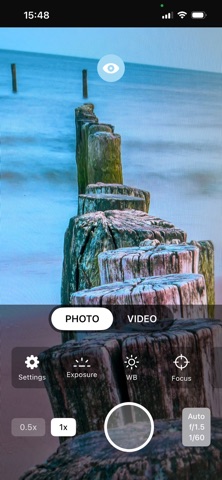
MMAP Cam is a professional camera app designed for photography enthusiasts. Capture the photo of your dreams with manual controls, advanced viewing tools, and 35+ creative filters.

WHY MMAP CAM?

• Full Manual Control: Complete control over ISO, shutter speed, white balance, and focus
• Professional Tools: Perfect exposure with histogram, focus peaking, and zebra stripes
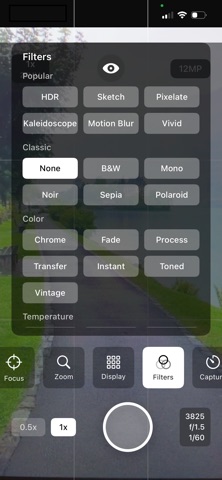
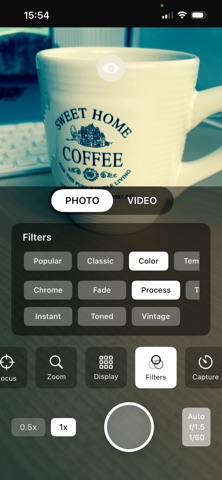
• 35+ Creative Filters: From classic to artistic, filters for every style
• Optical Zoom: Get closer without losing quality

FREE FEATURES

Camera Controls:
• Auto exposure and white balance
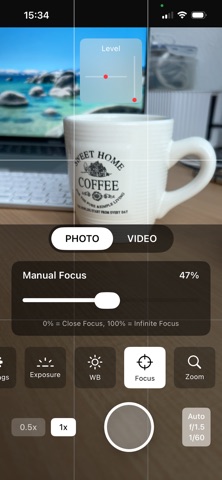
• Auto and manual focus
• Digital zoom (1x-10x)
• Focus lock and tap-to-focus

Shooting Tools:
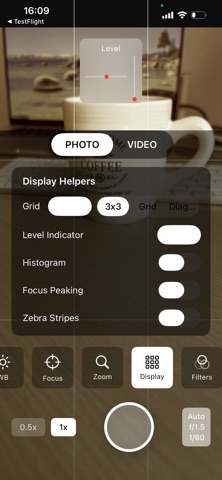
• Grid overlay (3x3, Golden Ratio, Center)
• Level indicator
• Burst mode

Filters:
• 12 popular filters (HDR, Sketch, Pixellate, Kaleidoscope, and more)
• Real-time filter preview
• Classic filters (Black & White, Sepia, Noir)

Gallery:
• Photo preview and sharing
• Detailed EXIF information
• Quick access gallery view

PREMIUM FEATURES

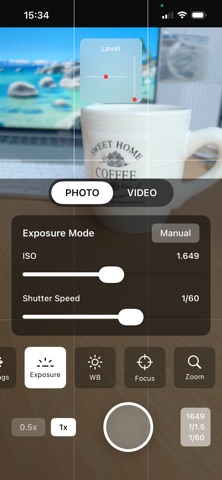
Manual Exposure Control:
• ISO adjustment (full control from min to max)
• Shutter speed control (1/8000 - 1 second)
• Exposure compensation (-2 EV to +2 EV)

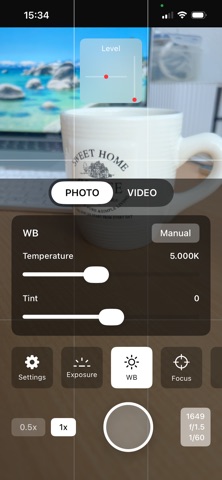
Manual White Balance:
• Color temperature control (2000K - 10000K)
• Tint adjustment (-150 to +150)
• Custom white balance profiles

Professional Viewing Tools:
• Histogram: Real-time exposure analysis with RGB and Luma histogram
• Focus Peaking: Highlights in-focus areas for manual focusing
• Zebra Stripes: Visually shows overexposed areas

Advanced Filters:
• 23+ premium filters (Chrome, Fade, Transfer, Instant, and more)
• Artistic filters (Comic, Posterize, Crystallize)
• Light effects (Bloom, Gloom, Vignette)
• Color effects (Warm, Cool, Dramatic)

Shooting Features:
• Timer (3, 5, 10 seconds)
• Optical zoom support
• Advanced focus controls

Bonus:
• Ad-free experience
• All future premium features

PROFESSIONAL FEATURES

• Full Manual Mode: DSLR-like controls
• EXIF Data: Detailed shooting information
• Quick Access: One-tap access to your favorite settings
• Dark Interface: Eye-friendly black theme

WHO IS IT FOR?

• Photography enthusiasts
• Content creators
• Social media influencers
• Professional photographers
• Mobile photography students
• Creative artists

YOUR PRIVACY MATTERS

MMAP Cam respects your privacy:
• No data collection
• All photos stay on your device
• No internet connection required
• No third-party tracking

HOW TO USE

1. Open the app and grant camera permission
2. Explore the control buttons at the bottom
3. Adjust exposure, white balance, and focus settings
4. Select your desired filter
5. Capture the photo and review in gallery view

UPGRADE TO PREMIUM

Unlock all premium features with a one-time purchase:
• Lifetime access
• All future updates
• Ad-free experience
• Priority support

SUPPORT

Have questions or suggestions? Contact us:
Email: [email protected]
Privacy Policy and Terms of Service available in-app.

Take your mobile photography to the next level with MMAP Cam. Download now and unleash your creativity!