MFA Authenticator: The Simplest Way to Protect All Your Accounts
Secure your passwords and personal data from cyber threats with MFA Authenticator — the easy-to-use app that generates two-factor (2FA)
MFA Authenticator: The Simplest Way to Protect All Your Accounts
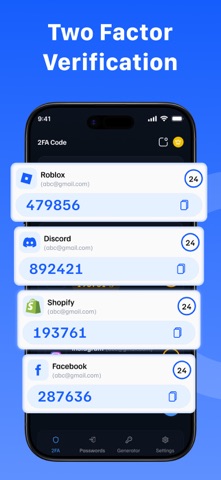
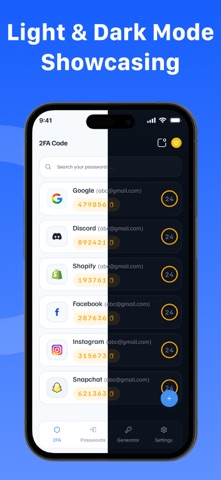
Secure your passwords and personal data from cyber threats with MFA Authenticator — the easy-to-use app that generates two-factor (2FA) and multi-factor authentication (MFA) codes and stores passwords, all in one place.
The Most Secure, Private, and User-Friendly 2FA & Password Vault App
Secure

Generate 2FA/MFA codes for Google, Microsoft, Roblox & 10,000+ services
Store passwords in an encrypted vault offline, always private
Protect the app with a passcode or biometric lock
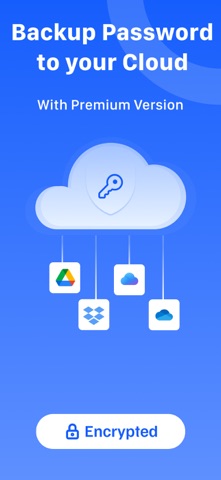
End-to-end encrypted backup only you can access your data

Simple

Scan QR codes or enter setup keys in seconds
One-tap copy for 2FA codes and passwords
Seamless sync across all your Apple devices
Import from Google Authenticator, Bitwarden, 1Password & more
Works completely offline — no internet required
Supports multiple languages
Face ID & Touch ID for fast, secure access

Take control of your online security — with MFA Authenticator, it's simple, secure, and private.
Subscription Information:

Payment. Charges apply to your iTunes Account at purchase confirmation.
Auto-Renewal. Subscriptions renew automatically unless canceled at least 24 hours before the current period ends.
Renewal Charges. Your account will be charged for renewal within 24 hours prior to the end of the current period, based on the selected plan.
Manage Your Subscription. Go to your Account Settings after purchase to handle auto-renewal and other preferences.

Privacy Policy: https://2fa-authentication.github.io/privacy-policy.html
Terms of Service: https://2fa-authentication.github.io/terms-of-service.html