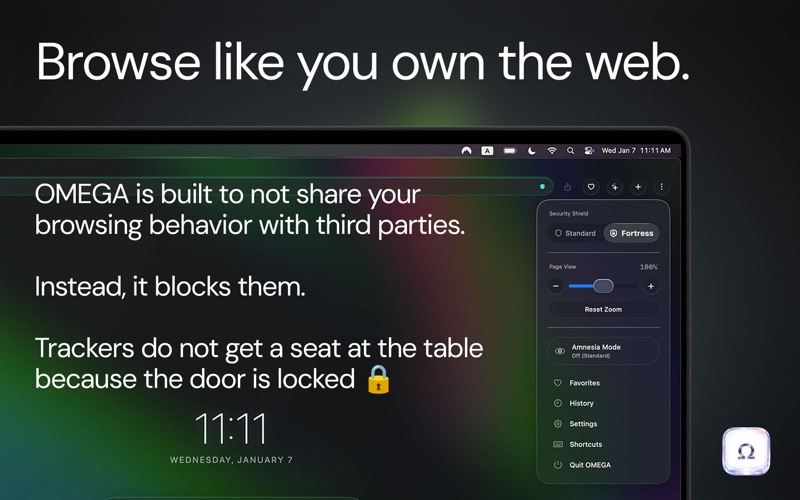
OMEGA is a lightweight, security-first native browser for macOS built with Swift and Apple's WebKit
OMEGA is a lightweight, security-first native browser for macOS built with Swift and Apple's WebKit.

It starts from a simple idea: browsing should be fast, private, and under your control.

No Omega account. No profiling. No data brokerage. No bundled Chromium engine. Omega blocks common trackers at the network level, fights fingerprinting, and gives you powerful privacy controls without turning your browser into an operating system.

FAST BY DESIGN

• Native Swift + WebKit architecture
• Uses the WebKit engine already built into macOS
• No bundled browser engine or unnecessary background framework
• Low baseline overhead, with web content handled by the system WebKit process
• Fast startup and a deliberately lightweight application footprint

PRIVACY BY DEFAULT

• Network-level tracker blocking that stops many requests before they load
• Anti-fingerprinting defenses that reduce stable browser identifiers
• Fortress Mode for more aggressive blocking
• Per-site controls when a website needs different privacy rules
• Omega does not profile you or broker your browsing data

AMNESIA MODE + NUKE

Want a temporary session? Amnesia Mode keeps browsing ephemeral and discards Omega session data when you quit.

Want more control? Nuke lets you selectively clear browsing history, cookies and logins, cached images, saved passwords, and site data by time range.

SPLIT VIEW

Browse multiple websites inside a single Omega tab.

• 2-pane vertical and horizontal layouts
• 3-column and focused layouts
• 4-column and 4-grid layouts
• Resize panes by dragging
• Move and swap panes without rebuilding your workspace
• Keep each pane independently navigable

SPLIT SCENES

Turn a useful Split View into a reusable workspace.

Save a complete arrangement of sites as a named Split Scene, then reopen it directly from the Omega dashboard.

Research, development, AI, communication, dashboards, monitoring, or anything else that works better together can become a one-click environment.

MULTI-AI COMPANION

Already signed into your favorite AI services? Omega can bring them together.

Use AI Companion to work across multiple compatible AI services from the browser sessions you already use. Send the same prompt to several assistants at once and compare responses side by side.

No Omega account is required, and Omega does not route your AI conversations through an Omega cloud service. Available AI integrations may vary by App Store region. AI website addresses for supported services can be configured locally in Settings.

YOUTUBE AD CONTROL

Omega uses a layered approach to reduce YouTube advertising:

• Blocks common advertising and measurement endpoints
• Removes advertising overlays when detected
• Watches for ad playback behavior and attempts to neutralize it

YouTube changes frequently, so no blocker can guarantee that every ad will always be stopped.

NATIVE MAC INTEGRATION

• Password storage through macOS Keychain
• Touch ID protected password autofill
• Sandboxed downloads and Save As support
• Native macOS tabs and popup windows
• Website camera and microphone permissions
• Website notifications
• Persistent per-site zoom settings
• Standard macOS menus and keyboard shortcuts

SMART ADDRESS BAR

Omega's address bar can interpret direct searches and destinations intelligently.

Type a URL, search normally, or route a query directly to supported search and AI services.

Omega was built around one principle: add capability without adding surveillance, unnecessary infrastructure, or bloat.

The web, unburdened. Browse light. Browse free.

Note: Aggressive privacy blocking can affect some websites. Omega includes per-site controls for cases where compatibility requires them.