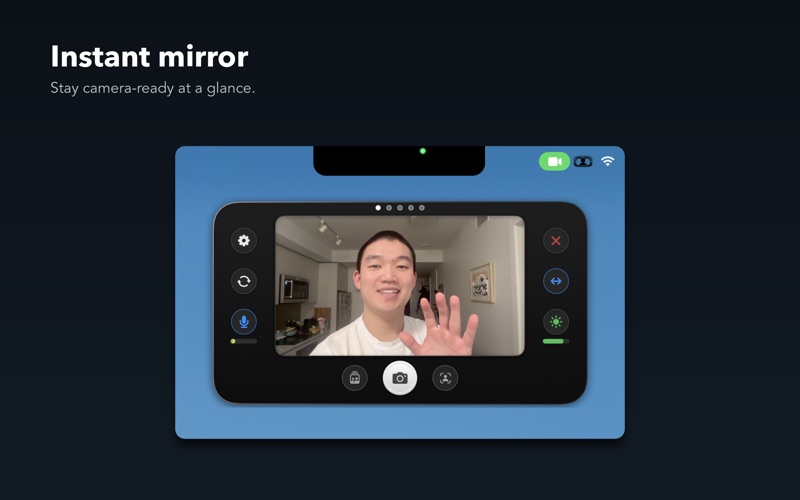
Rearview Mirror gives you a quick camera preview right from your menu bar. Flip you mirror down and check your hair, lighting, and background before joining that important video call.

Or use it as a way to always show your face and always keep it centered in frame for recording or streaming your desktop — Rearview Mirror ALWAYS stays on top of other windows.

INSTANT ACCESS
• Global customizable hotkey (⇧⌘R) to show or hide instantly
• Notch trigger — just move your cursor into the notch
• Lives in your menu bar, always one click away
• Floating window stays on top of other apps

LOOK YOUR BEST
• Face-aware framing keeps you perfectly centered
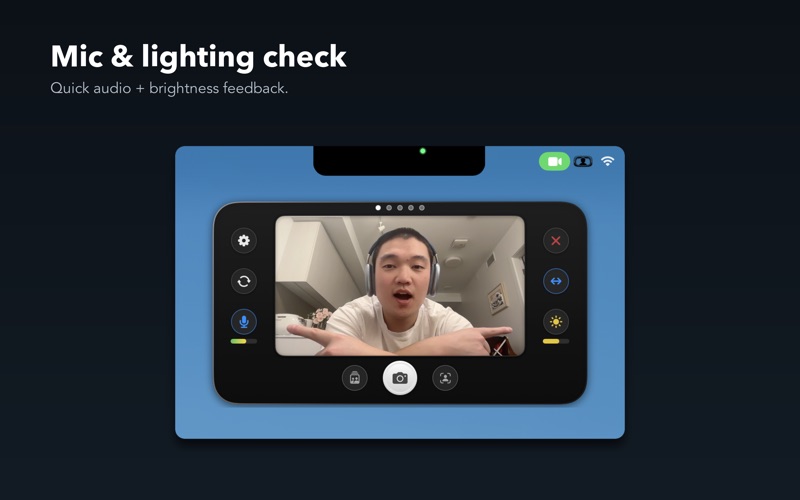
• Mic level indicator ensures you're not muted
• Check your lighting before going live
• Press sun icon to activate a Ring Light to highlight your eyes and brighten your face
• Live captions show what you're saying in real-time

CAPTURE THE MOMENT
• Polaroid-style snapshots with one click
• Photo strips capture 5 shots with a countdown
• Save photos directly to your files

MAKE IT YOURS
• Multiple viewport shapes: rounded, soft, or circle
• Adjustable window sizes
• Customizable global hotkey
• Launch at login option

Rearview Mirror is the quick-check companion for anyone who spends time on video calls and desktop streams. Teachers, remote workers, content creators, streamers, and professionals — stay camera-ready without opening your video app.

Privacy focused: Your camera feed stays on your device. No data is collected or transmitted.