CueCam for Eos records video with live lighting cue data from your ETC Eos lighting controller (console or ETCnomad) embedded directly into the footage - making rehearsal reviews, show documentation,
CueCam for Eos records video with live lighting cue data from your ETC Eos lighting controller (console or ETCnomad) embedded directly into the footage - making rehearsal reviews, show documentation, and collaboration faster and more effective.

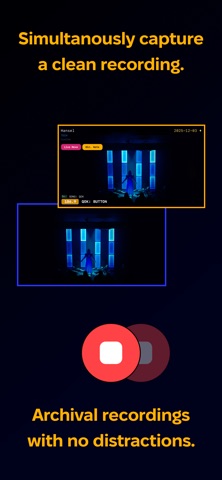
Annotate recordings with time-stamped markers and tags, capture cue state photos automatically, and share polished video files with your team. You can also record a clean, archive-ready copy with no overlays.

No subscriptions, just a simple professional tool with a one-time purchase.

Live Cue Overlays – Display essential lighting information directly on your recordings;
 - Custom Title Text with Show Numbering
 - Timestamp (synchronised with your console)
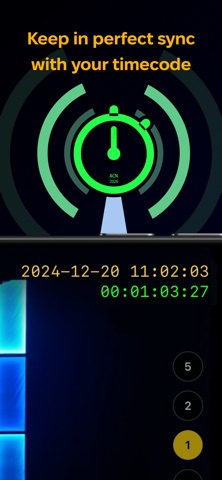
 - Timecode from external sources including (MIDI (USB or Network), Art-Net, ACN, or LTC*)
 - Current scene, cue number, and name from multiple Cue Lists
 - OSC-controlled Stopwatch / Timer
 - Labelled markers added from your phone, desk, or even your wrist with Apple Watch

Full OSC Control – Record and annotate directly from your console
 - Start / Stop Recording
 - Capture Cue Snaps (Still Photos)
 - Start, Stop, and Reset Stopwatch / Timer
 - Add colour-coded markers in real-time.
 - Control CueCam features

Integrated RTSP Server - Video direct to your desk
 - View your CueCam video direct on the desk (1080 only)
 - RTSP stream of status for easy integration in your Magic Sheets.

Share captured recordings and CueSnaps with ease
  - Generates flat videos - no special software required to view
  - Videos include chapter markers for easy navigation
  - Upload direct to Dropbox or iCloud Drive

Fast, Simple, Setup

Just point your iPhone or iPad at the stage, connect to Eos, and start recording. No complex configuration. Ready in seconds.

Trusted by Professionals. Our early users are seeing real-world benefits;

- "Invaluable in reviewing our rehearsal footage"
- "Great to be able to mark director's notes or live moves and just scrub through the footage to find these points"
- "Dropbox integration means that our choreographer had footage before I was even home"
- "Status by RTSP is such a great idea, I always know it's working"
- "The cue snaps were really helpful preparing a show for relighting"
- "Used CueCam for a week. 4K over 5 days for a dance festival. EOS and Timecode. Didn’t skip a beat once!"
- "It's become an essential tool for programming"

Created by working lighting designers and programmers, CueCam is the tool we wanted ourselves.

We use it regularly, and we’re constantly improving it with new features.