


Description
Vomania lets you practice words with flip cards by category
Vomania lets you practice words with flip cards by category. It is designed specifically for the study of vocabulary.
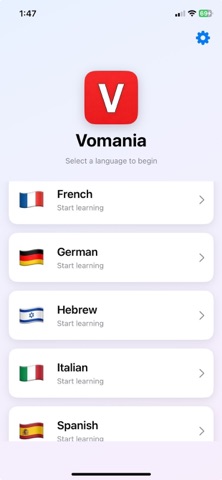
The languages currently included are Chinese (Mandarin), German, French, Hebrew, Italian, and Spanish.

Categories and word lists
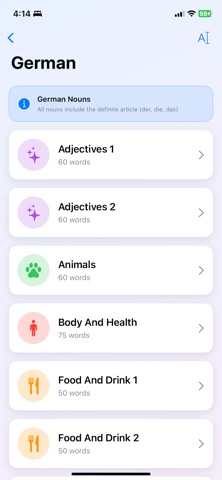
 - Words are grouped into categories (e.g. Animals, Home, Time, Food and Drink, Geography and Places, Verbs, Adjectives, Money and Shopping, and others).
 - There is a special Random category that mixes words from all categories.
 - There is a Custom category that only appears when you’ve added words to it (see below).
 - There is also the ability for users to create their own categories and add their own words to them

Word practice (flashcards)
 - In any category you see word cards (one language per side).
 - You can tap a card to flip it and see the translation.
 - You can mark words as learned when you know them; they are then removed from that category’s practice list for that language.
 - You can add words to Custom to build your own set from any category, or remove them from Custom.
 - You can play audio to hear how each word sounds

Spelling test
 - From the categories screen you can start a Spelling Test.
 - You are shown the English and must type the word in the foreign language you previously selected.
 - The test only uses words you haven’t marked as learned.
 - You can set how many words per test (e.g. 1–30) and whether to accept spelling without accents (e.g. “ecole” for “école”) in Settings.

Learned words
- When you mark a word as learned, it is saved and no longer appears in normal practice or spelling tests for that language.
- In Settings you can open Manage Learned Words to see all learned words (by language) and restore individual words or clear all, so they show up again in practice and tests.

Please note: all data is saved locally, so if you delete Vomania from your device and reinstall it, it will revert back to default settings and data.
