

Description
Tired of squinting at raw Markdown
Tired of squinting at raw Markdown?

ShowMeMyMD opens any .md file and renders it beautifully — instantly. Drag and drop, double-click, or open from the menu. No IDE required. No Electron bloat. Just a fast, native macOS app that does one thing perfectly.

THE "COPY RENDERED" TRICK
Hit Copy Rendered and paste your Markdown directly into emails, Google Docs, Notion, or Slack — fully formatted with headings, bold, code blocks, and links intact. No more copy-paste-reformat dance.

THREE WAYS TO WORK
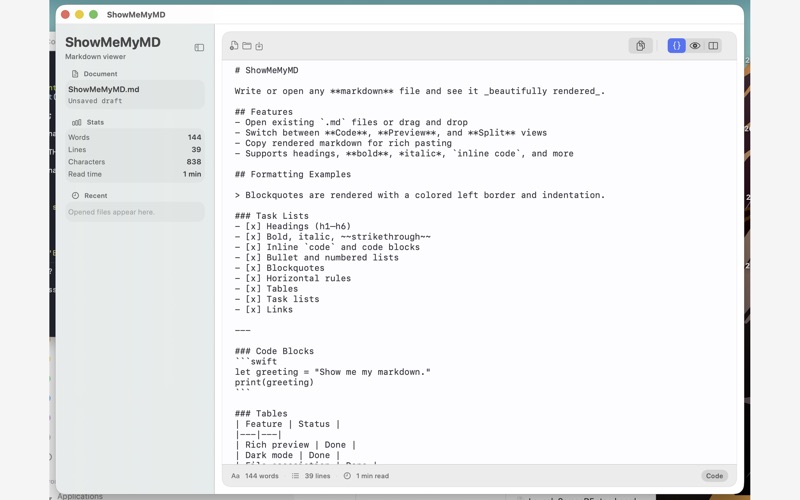
• Code — write and edit raw Markdown with syntax highlighting
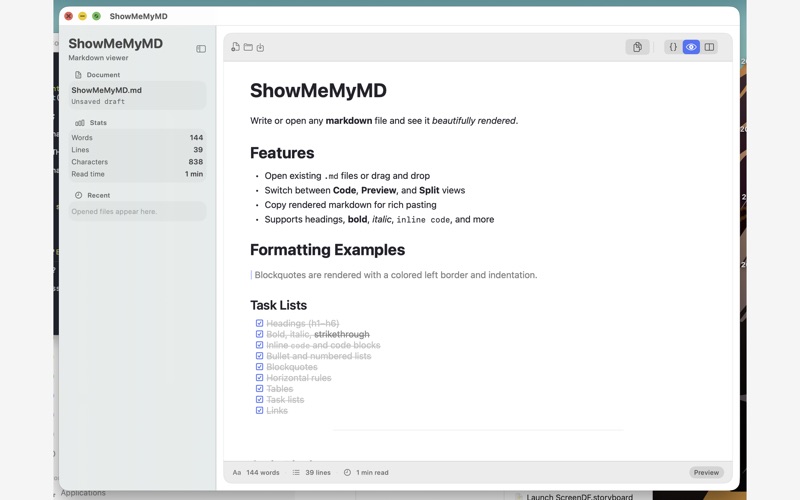
• Preview — see your document rendered with rich formatting
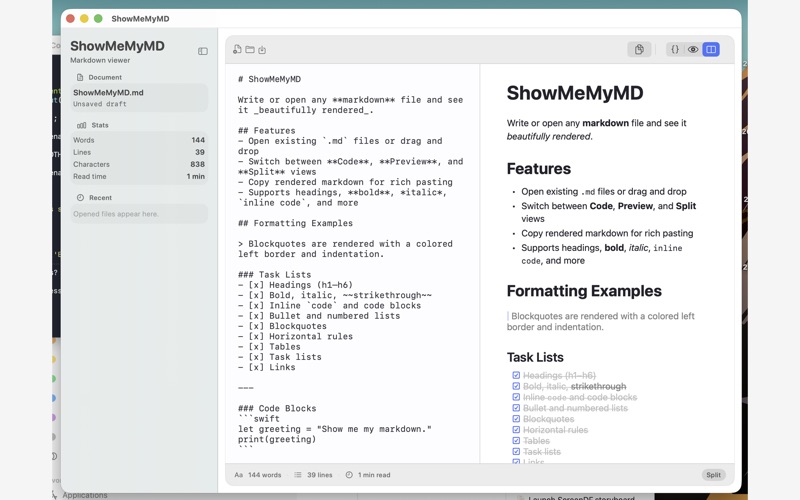
• Split — code on the left, live preview on the right, scroll-synced

BUILT FOR DEVELOPERS
• Syntax highlighting for 20+ programming languages
• GitHub-style callouts: NOTE, TIP, IMPORTANT, WARNING, CAUTION
• Table of Contents navigation
• Word, line, and character counts with estimated read time

LOOKS THE WAY YOU WANT
• 4 themes: System, Sepia, Nord, Solarized
• Full dark mode support
• Clean, distraction-free interface

NATIVE macOS
Built in SwiftUI. No web views, no Electron, no nonsense. Opens instantly. Uses almost no memory. Feels like it belongs on your Mac — because it does.

Perfect for previewing READMEs, editing documentation, drafting blog posts, or just reading .md files without launching a full IDE.
