Spritfill is a pixel art editor designed for iPad, built for both beginners and experienced sprite artists
Spritfill is a pixel art editor designed for iPad, built for both beginners and experienced sprite artists.
Draw on a variety of canvas sizes — from 16×16 icons to massive 512×512 scenes. Choose from built-in color palettes like PICO-8, Endesga, and Spritfill 128, or create your own custom palettes.

Powerful drawing tools: • Pencil, eraser, and fill bucket • Line, rectangle, ellipse, and shape tools • Gradient and dither tools • Color picker (eyedropper) • Selection tool — pick, shift, and move pixels between layers • Symmetry drawing (horizontal, vertical, and quad) • Shift and flip entire layers.

Layer support: • Up to 8 layers with visibility toggles • Merge, reorder, and rename layers • Import other projects as new layers.

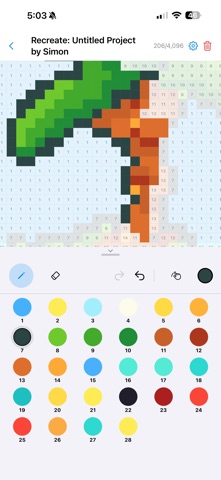
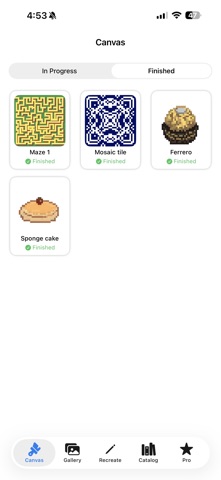
Recreate mode: • Browse a catalog of premade sprites and practice pixel art by recreating them step by step • Track your progress and completion.

Community features: • Submit your finished artwork for others to recreate • Browse and download community-submitted sprites.

Export & share: • Save to your photo library with customizable tile sizes • Upscale exports for crisp, high-resolution sprites • Share directly from the app.

Apple Pencil support with automatic detection and configurable settings.

Unlock Spritfill Pro for the full experience — larger canvases, more layers, advanced tools, and unlimited custom palettes.