




Description
Wring is an offline macOS menu bar toolkit for developers
Wring is an offline macOS menu bar toolkit for developers. Open it from the menu bar or with one shortcut, process the data in front of you, copy the result, and get back to work.

It is built for quick local tasks like decoding JWTs, formatting JSON, testing regex, generating hashes, encoding and decoding data, converting timestamps, comparing text, picking colors, creating UUIDs, checking local load, and managing .env secrets.

Developer tools included:

• JWT inspector and verifier
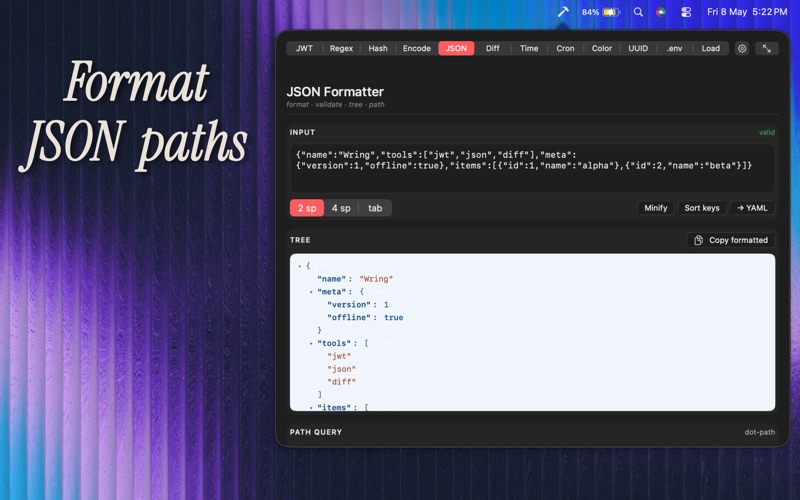
• JSON formatter, validator, tree view, and path query
• Regex tester
• Base64, URL, HTML, and Hex encoder/decoder
• Text utilities for case conversion, deduplication, sorting, trimming, and line cleanup
• MD5, SHA-1, SHA-256, SHA-384, SHA-512, and HMAC hash generator
• Text diff viewer with split and unified output
• Timestamp and date converter
• Cron schedule parser
• Color picker and color format converter
• UUID generator
• Local CPU and memory load monitor
• Keychain-backed .env manager

Workflow features:

• Menu bar access
• Optional customizable global hotkey
• Customizable top tabs
• Command-number tab switching
• Optional shortcut hints in sidebar mode
• Quick copy actions
• Compact native utility drawer

Private by design:

• No account
• No analytics
• No telemetry
• No network access
• No cloud sync
• No external servers

Your tokens, JSON, hashes, colors, diffs, and .env values stay on your Mac. .env values are stored in the macOS Keychain and can be protected with Touch ID.

Wring is not a cloud dashboard, not a subscription service, and not another browser tab. It is a small native macOS utility drawer for the developer tasks you reach for every day.
