Checklists - Fly Smart helps pilots carry organised, aircraft-specific procedures on iPhone and iPad — structured the way you already think: Normal, Abnormal, and Emergency
Checklists - Fly Smart helps pilots carry organised, aircraft-specific procedures on iPhone and iPad — structured the way you already think: Normal, Abnormal, and Emergency.

Core checklist flying stays free and works offline. No account required to build planes and run sessions.

MY PLANES
• Build a personal fleet — each aircraft has its own checklists and reference cards.
• Add a photo so your planes are easy to spot on the home screen.
• Start from built-in or community templates, then tailor procedures to how you fly.

IN THE COCKPIT
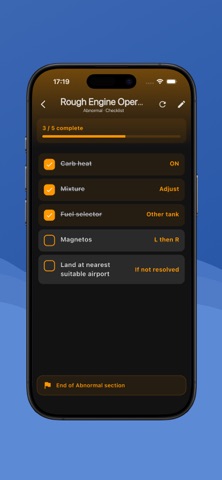
• Walk procedures step by step; tick items off as you go.
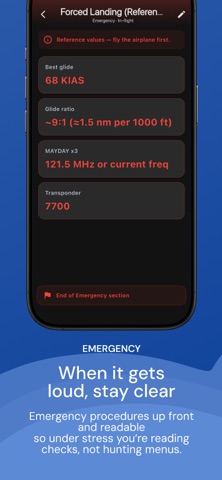
• Jump quickly between abnormal and emergency sections when time matters.
• Active sessions keep progress across procedures — and survive if you leave the app or restart the device.
• Takeoff and landing clocks in the session banner; finished flights appear in session history.
• Layouts tuned for phones and tablets.

FLIGHT SCRATCHPAD
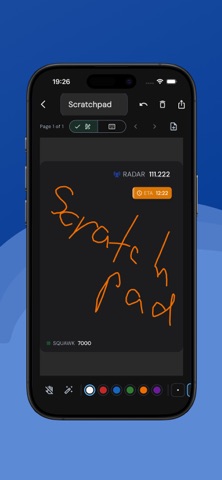
• ATIS, clearances, frequencies, and quick notes with stylus or finger — right from an active session.
• Free: one page during a flight (not kept after the session ends).
• Premium: multi-page pads, saved notebooks under Tools, open a notebook into the flight pad, archive notes with session history, and export as PDF or PNG (light or dark paper).

COMMUNITY TEMPLATES
• Browse starter and manufacturer-style templates without an account.
• Import what you need, then edit locally to match your POH and club SOPs.

BACKUP & SHARE
• Import a signed .plchk backup from Files, AirDrop, Mail, or another pilot (free).
• Premium unlocks .plchk export and PDF quick-reference for briefing packs.
• (Beta) Import / Export to avionics and navigations (Garmin gplt, ace, Dynon, ForeFlight and others)

PREMIUM (ONE-TIME UNLOCK)
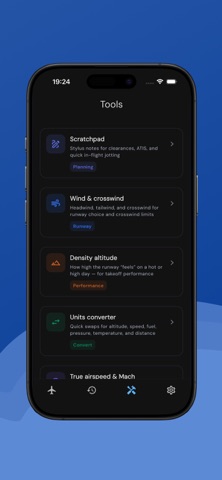
• Pilot Tools offline: wind/crosswind, density altitude, airspeed (CAS/EAS/TAS/Mach), units, time, METAR glossary, ICAO phonetic alphabet.
• E-ink style high-contrast theme for readable cockpit reference.
• Cloud backup and sync across your devices when signed in.
• Never locks Normal, Abnormal, or Emergency checklist execution.

SETTINGS
• English and Czech.
• Light, dark, or system theme; aviation display units for tools.

PRIVACY BY DESIGN
• Local-first: your planes and checklist data live on your device.
• Sign-in is optional — only needed for cloud sync and cross-device Premium.

IMPORTANT
Checklists - Fly Smart is a personal organisation aid. It does not replace your approved aircraft flight manual, POH/AFM, operator manuals, regulations, or training. You remain responsible for verifying every procedure against authoritative documentation and for safe operation of the aircraft. Community templates are starting points, not official sources.