
Anamorf - Desqueeze Video
0.0 17.14MB 0 Free
Version 1.0.18
Updated 2026-07-28
Developer Alin Banuta



Description
Anamorf is the fastest way to desqueeze anamorphic video
Anamorf is the fastest way to desqueeze anamorphic video.

Shot with an anamorphic lens? Your footage looks squeezed until you correct the aspect
ratio. Anamorf does it in seconds, directly on your device - no desktop, no cables,
no waiting.

HOW IT WORKS
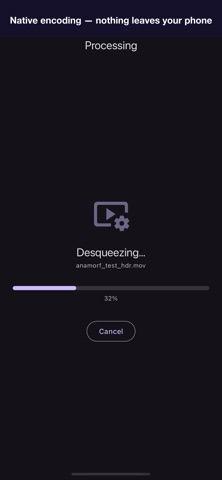
Pick a video from your library, dial in your lens squeeze ratio, tap Desqueeze. That's
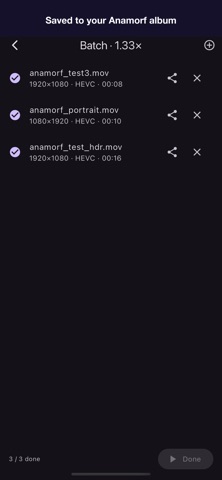
it. The output lands in a dedicated Anamorf album in Photos.

SQUEEZE PROFILES
· 1.33× - entry anamorphic adapters
· 1.55× - SLR Magic, Moment
· 1.60× - Kowa, Century
· 2.00× - true scope lenses
· Custom - fine-tune anywhere from 1.00× to 2.50× for non-standard or
  poorly calibrated lenses

BUILT FOR QUALITY
· Hardware-accelerated encoding
· Supports H.264, HEVC, VP9, VP8 and AV1 input
· Preserves HDR10, HLG and Apple Log through HEVC output - no color flattening
· Keeps creation date, location and camera metadata intact
· No quality loss from unnecessary transcoding stages

PRO FEATURES (one-time unlock)
· 4K and beyond - no resolution cap
· Vertical desqueeze - correctly desqueeze portrait footage for TikTok,
  Reels, YouTube Shorts and other vertical-first platforms
· Output codec selector: choose H.264, HEVC, or Auto
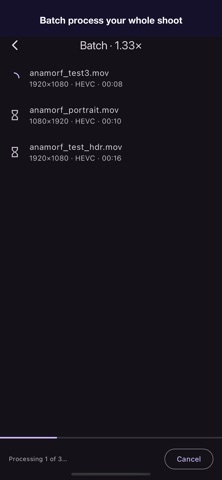
· Batch processing - queue multiple clips and process in one go

FREE TIER
Unlimited conversions, all four preset ratios plus the custom slider,
output up to 1920px wide.

SUPPORT
Hi, I'm Alin - I built Anamorf on my own. Email me at [email protected] with bugs, ideas, or edge cases from your lens setup. I read and reply to every message myself.
Category: 摄影与录像(28122)
Version: 1.0.18
BundleId: com.anamorf
Developer: Alin Banuta
Updated: 2026-07-28
