
Fire Keyboard - Draw Flaming GIFs!
0.0 16.99MB 0 免费
版本 1.0.2
更新 2014-12-30
开发者 Useless Creations Pty Ltd

Description
** 100% FREE FOR A LIMITED TIME
** 100% FREE FOR A LIMITED TIME! **

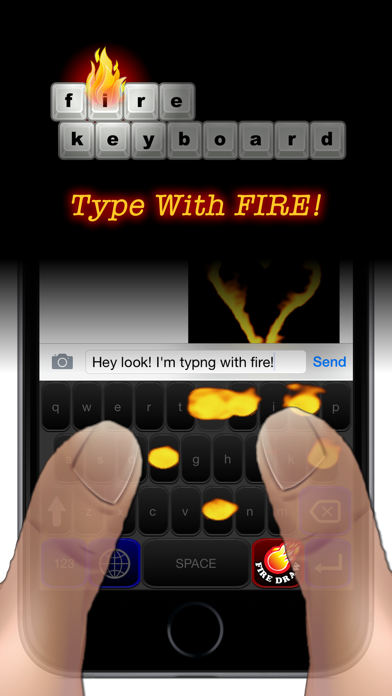
Fire Keyboard lets you draw with fire right on your keyboard, and then send Flaming Animated GIFs to your friends!

Type with FIRE! Draw with FIRE! Send Flaming Animated GIFs to your friends! All directly from your keyboard!!

To draw with Fire, tap the "FIRE DRAW" button on the keyboard. When you've created a flaming masterpiece, tap the "PREPARE TO SEND" button. This will generate your animated GIF and copy it to the clipboard. Now you can tap where your typing and select PASTE to paste in your new fiery animation! Easy!

To use all the features of FIRE KEYBOARD, you need to Allow Full Access in Settings. This is just so the keyboard can save your animations ready for you to paste them into your messages and emails. Fire Keyboard does not use any other functions or access any of your data.

To install Fire Keyboard, go to Settings > General > Keyboard > Keyboards > Add New Keyboard, then select Fire Keyboard. Now under Keyboards, tap Fire Keyboard again to open it's settings and activate "Allow Full Access". Now you're ready to create and send flaming animated GIFs!

Fire Keyboard requires iOS 8.
分类: 工具(185746)
版本: 1.0.2
BundleId: com.uselesscreations.FireKeyboard
开发者: Useless Creations Pty Ltd
最近更新: 2014-12-30
