




Description
RECIPE CLOUD: SAVE, ORGANIZE, PLAN & SHOP Recipe Cloud is a recipe saver, recipe organizer, AI recipe scanner, meal planner, and grocery list app for home cooks
RECIPE CLOUD: SAVE, ORGANIZE, PLAN & SHOP
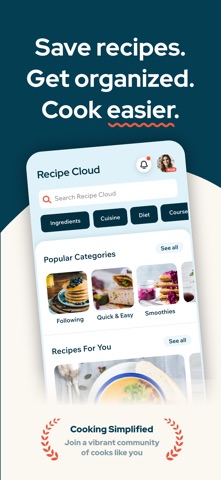
Recipe Cloud is a recipe saver, recipe organizer, AI recipe scanner, meal planner, and grocery list app for home cooks. Save recipes from websites and social links, digitize paper recipes with a photo, organize your favorites into collections, plan meals for the week, and shop smarter in one app.

Build your own digital cookbook with recipes from food blogs, recipe websites, Instagram, YouTube, TikTok, your own kitchen, and the Recipe Cloud community.

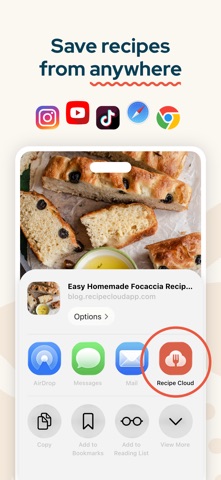
SAVE RECIPES FROM ANYWHERE
Import recipes from a URL and Recipe Cloud will help capture the title, image, ingredients, and directions. You can also paste social links from Instagram, YouTube, and TikTok, preview the recipe, and save it to your library. Prefer to add your own? Create custom recipes with photos, servings, timing, grouped ingredients, directions, and private notes.

SCAN RECIPES WITH A PHOTO
Turn printed recipes, handwritten favorites, recipe cards, and cookbook pages into organized digital recipes with a simple photo. Recipe Cloud uses AI to capture the recipe details so you can review, edit, and save them to your collection.

ORGANIZE YOUR RECIPE COLLECTION
Keep recipes easy to find with custom collections, also called recipe books. Create collections for weeknight dinners, meal prep, healthy recipes, desserts, family favorites, holidays, or anything else you love to cook. Search your saved recipes, sort your library, and save recipes from other cooks.

DISCOVER NEW FAVORITES
Explore recipes, categories, and cooks from the Recipe Cloud community. Browse personalized feeds, popular recipes, recently added recipes, and recipes from people you follow. Search for recipes and people, browse popular categories, and filter by ingredients, cuisine, diet, course, and cooking technique.

COOK WITH CONFIDENCE
Every recipe includes a clean, easy-to-use page with ingredients, directions, timing, servings, author details, and notes. Scale servings from 1 to 100 and ingredient quantities update automatically. Highlight your current step while cooking, keep your screen awake, and open the original recipe in an in-app browser when needed.

PLAN MEALS FOR THE WEEK
Use the weekly meal planner to organize breakfast, lunch, dinner, snacks, and more. Add meals from saved recipes or collections, edit meal notes, and plan around your schedule. Create a grocery list from this week’s meal plan or choose a custom date range. You can also share or copy your meal plan.

SHOP SMARTER
Turn recipes and meal plans into a grocery list. Add only the ingredients you need and keep your list grouped by aisle or section. Check off items while shopping, move completed items to history, restore items, edit names and aisles, and share your list as plain text.

COOKING IS BETTER WITH FRIENDS
Create a profile, follow cooks, browse community recipes, and see when others save your recipes. Discover ideas from home cooks, creators, bloggers, and brands, then save your favorites into your own library.

RECIPE CLOUD PLUS
Upgrade to Recipe Cloud Plus for more flexibility across your recipe library, meal planner, and grocery list.

Recipe Cloud Plus includes:
• Unlimited saved recipes
• Unlimited recipe books and collections
• Unlimited meal planning
• Smart grocery list features
• Private recipes and private collections
• No advertisements
• Access on iPhone, iPad, and web

ALSO INCLUDED
• Save recipe links from Safari and other apps with the share extension
• Sync your account with Recipe Cloud on the web
• Create and edit your profile
• Set dietary and cooking preferences
• Manage notification preferences
• Report content and block users when needed

Whether you are saving recipes from websites, scanning family favorites, planning meals, building a grocery list, or discovering new cooks, Recipe Cloud keeps your cooking life organized from save to shop.

Terms of Use: https://www.apple.com/legal/internet-services/itunes/dev/stdeula/
分类: 美食佳饮(89787)
版本: 4.1.0
BundleId: com.JacobHull.RecipeCloud
开发者: Recipe Cloud LLC
最近更新: 2026-08-07
