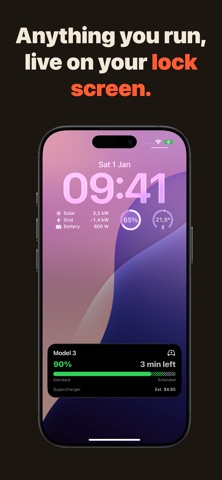
Your dishwasher, your 3D printer, your EV charger - live on your lock screen, not buried in notifications
Your dishwasher, your 3D printer, your EV charger - live on your lock screen, not buried in notifications.

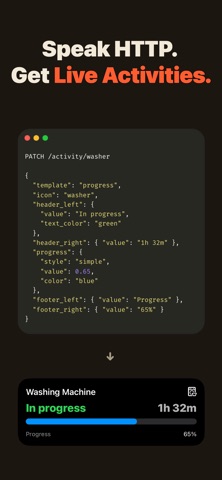
Aivi turns one HTTP request into a Live Activity on iPhone, Apple Watch, and CarPlay. And new in 2.0: persistent widgets that stay when the activity ends - on your Lock Screen, Home Screen, watch face, and StandBy.

The key difference: if Home Assistant, a script, or anything else in your stack can make an HTTP call, Aivi can display it. No app to build, no push certificates, no SDK.

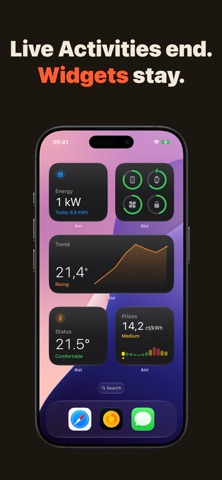
NEW IN 2.0: WIDGETS
- Live Activities are for right now. Widgets are for the meantime - persistent tiles that quietly keep score all day
- Ten templates: progress, gauge, trend charts, battery levels, electricity prices, countdown, budget, energy flow, list, and status
- Widget Board: several of your widgets together in one grid
- Watch face complications and Smart Stack - your data at wrist-glance
- Looks native everywhere: Tinted Home Screen appearance, StandBy on the nightstand
- Same API as activities: one request, different noun

WHAT PEOPLE RUN ON AIVI
- Dishwasher and washing machine cycles with live countdowns
- 3D prints with progress and time remaining
- EV charging with charge level and completion estimate
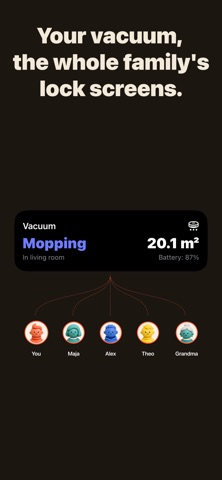
- Robot vacuums, oven pre-heats, tea timers, pomodoros
- Electricity prices, solar production, and home energy flow
- Anything your smart home tracks

KEY FEATURES
- Always visible - activities live on your lock screen and in the Dynamic Island until they're done, never lost in notification history
- Family sharing - set up once, send an invite link, and everyone's devices update in lockstep. Subscribers never pay
- Every screen you own - iPhone, iPad, Apple Watch, CarPlay, and Mac¹
- Simple REST API - integrate in minutes with curl, a bash script, or any HTTP client
- Push, not poll - updates go out only when state changes. Kind to servers, kind to batteries
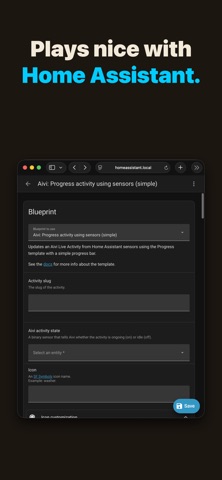
- Home Assistant ready - quick-start blueprints, no custom components, no HACS

Perfect for Home Assistant users, smart home enthusiasts, makers, and anyone who runs long-running things.

Start with a free 7-day trial. Only the activity owner needs a subscription - everyone you share with rides along free.

¹ Live Activities on Mac require macOS Sequoia or later and are not available in the EU. Widgets require iOS 26 or later; Live Activities work from iOS 18.

Terms of Use: https://www.apple.com/legal/internet-services/itunes/dev/stdeula/