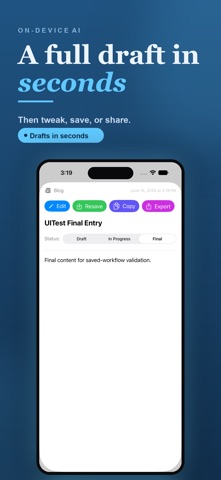
Beat the blank page. Guided Writer turns a few quick answers into a polished draft in minutes—so writing emails, resumes, posts, and more feels easy instead of exhausting.

Whether you're sending a tricky work email, applying for a job, posting to social, or finally writing that bio, Guided Writer does the heavy lifting. You bring the idea; it handles the structure, wording, and tone—right on your iPhone, in private.

HOW IT WORKS
1. Pick what you're writing and answer a few quick prompts—who it's for, your goal, and the tone you want.
2. Tap generate. Guided Writer drafts it for you in seconds.
3. Tweak, save, and share or export. Done.

SAVE TIME EVERY DAY
- Skip the blank page and the endless rewrites—start from a solid first draft
- Sound clear and confident, even when the words won't come
- Tap to set your tone instead of second-guessing it
- Reuse your favorite setups so the next draft is even faster
- Jump back into recent writing right from your Home Screen

WHAT YOU CAN WRITE
- Emails, messages, and replies that get to the point
- Resumes, cover letters, and bios that stand out
- Social posts, captions, and blog articles
- Product reviews, marketing copy, and landing pages
- Study guides, lesson plans, and how-to content
- ...or anything else, with a custom draft

WHY PEOPLE LOVE IT
- Effortless: guided prompts mean no guesswork and no staring at a cursor
- Fast: drafts in minutes, not hours
- Flexible: choose tone, length, and point of view in a tap
- Yours: edit, save, and revisit everything in one place
- Accessible: built with Dynamic Type, VoiceOver, and large tap targets

PRIVATE BY DEFAULT
- Powered by on-device Apple Intelligence on supported devices
- No account required
- No ads
- No third-party analytics
- Your writing stays on your device, under your control

IMPORTANT
Draft generation with Apple Intelligence requires supported hardware and a compatible iOS version. Even without it, Guided Writer still helps you structure, save, export, and revisit your writing.