lackLens is an accessible camera app built for blind, low-vision, and fully sighted people who want better selfies without needing to see the screen
lackLens is an accessible camera app built for blind, low-vision, and fully sighted people who want better selfies without needing to see the screen.

Designed by legally blind founder Steve Johnson, BlackLens uses face detection, spoken feedback, haptics, high-contrast visuals, and automatic capture to help you frame photos confidently — whether you are using VoiceOver, shooting outdoors in bright sunlight, wearing sunglasses, doing sport, or taking a higher-quality selfie with the rear camera.

◆ AutoCapture

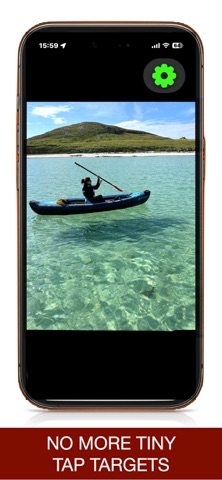
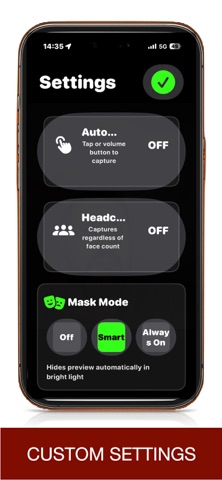
BlackLens can automatically take a photo when faces are detected, framed, and steady. No tiny shutter button. No guessing. Just hold the camera and let the app guide the shot.

◆ Headcount

Taking a group photo? Turn on Headcount, choose how many faces you expect, and BlackLens helps make sure everyone is in frame before capture.

◆ Missile Lock

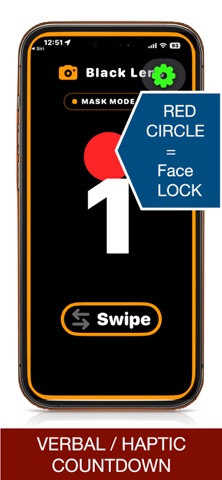
When AutoCapture is off, Missile Lock gives you an audio lock-on cue. A tracking tone helps you frame the shot, then a lock tone tells you when you are ready to tap or press volume to capture.

◆ Haptic Framing

Feel what the camera sees.

• Gentle vibration means a face is near the edge
• Stronger feedback means someone may be cut off
• No vibration means the framing is improving

This makes it easier to angle the phone without needing to inspect the screen.

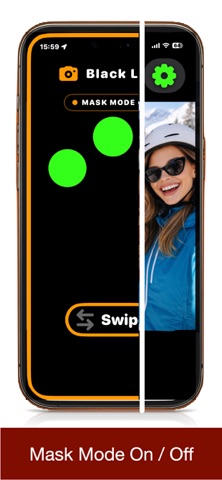
◆ Mask Mode

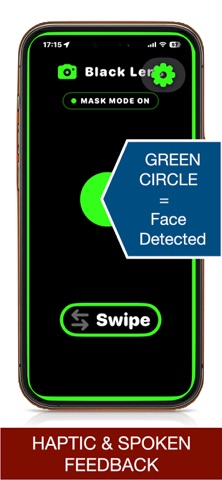
Mask Mode turns the screen into a bold, high-contrast framing surface. It is useful for low vision, bright sunlight, rear-camera selfies, and situations where the display is hard to see.

Faces appear as clear visual targets:
• Green means face detected
• Red means locked and ready

◆ VoiceOver-Friendly Controls

When VoiceOver is active, BlackLens provides dedicated accessible controls for key actions like switching cameras and toggling Mask Mode. Headcount can be adjusted with a simple VoiceOver swipe up or down.

◆ Simple Gestures

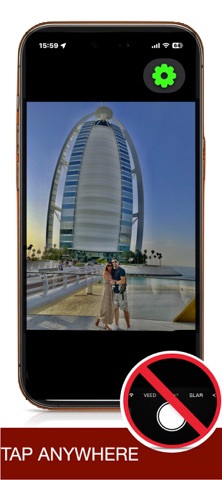
• Tap anywhere to capture manually
• Swipe up or down to switch cameras
• Swipe left or right to toggle Mask Mode
• Press a volume button to capture

◆ Better Rear-Camera Selfies

Use the higher-quality rear camera with confidence. BlackLens gives spoken, haptic, and visual feedback so you can frame yourself even when you cannot see the display.

◆ Private and Simple

No accounts. No subscriptions. No tracking. Just a focused camera tool designed to help more people take better photos.