Capture everything happening on your desktop with crystal-clear quality. ClipShot is the ultimate tool to record screen and audio on Mac, designed for tutorials, gameplay, meetings, and professional presentations.

Whether you need to explain a complex task, record a webinar, or capture a gaming highlight, ClipShot makes MacBook screen recording effortless, high-quality, and professional.

WHY CLIPSHOT?

Stop searching through complicated screen recording programs. ClipShot combines simplicity with powerful features like 60 FPS recording, Webcam Support, 4K resolution support, and zero watermarks. It is the perfect solution for anyone asking how to screen record on Mac with professional results.

***KEY FEATURES***

*High-Quality Screen Recording:- Record your entire screen or a specific window.
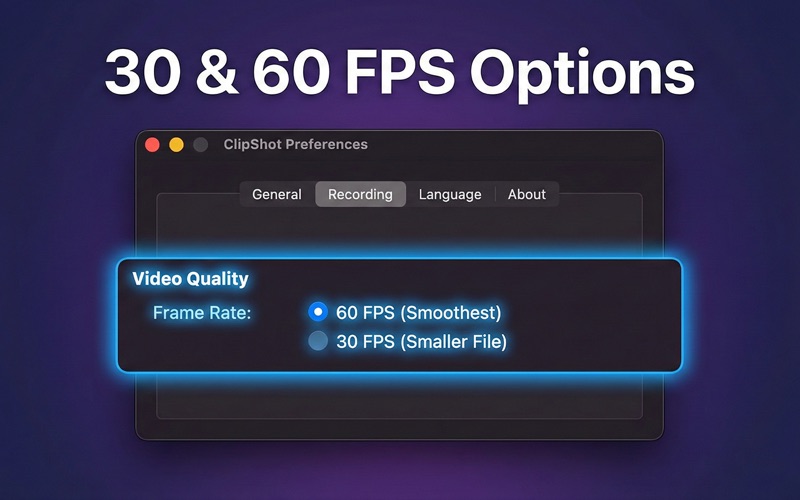
*Support for up to 4K resolution for crisp visuals:- Choose between 30 FPS for smaller file sizes or 60 FPS for buttery-smooth motion.
*Advanced Audio Capture:- Finally, a screen recorder with sound that works instantly. Record internal computer sound (Zoom calls, gameplay audio, videos) directly.
*Microphone: Adding microphone to the screen recording enables a voiceover commentary in real-time. You can mix both microphone and system audio sources seamlessly to record screen and audio on Mac without syncing issues later.
*WebCam Overlay:- Add a personal touch with the Picture-in-Picture webcam overlay.
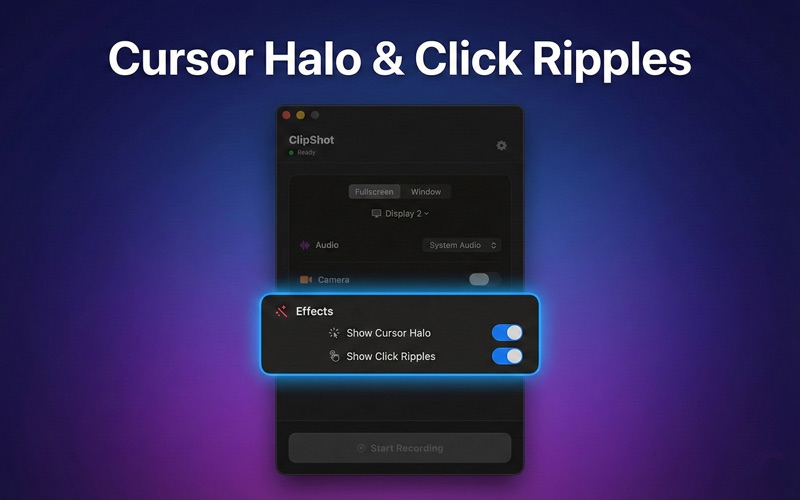
*Pro Visual Effects:- Cursor Halo option highlights your mouse pointer so viewers never lose track of your movement and the click ripples effect provides Visual feedback every time you click, making tutorials easier to follow.
*Lightweight & Efficient:- Optimized for macOS to ensure recording doesn't slow down your computer.

WHO IS THIS FOR?

-Educators: Create lesson materials with your voice and mouse highlights.
-Gamers: Capture 60 FPS gameplay with internal system sound.
-Professionals: Record bugs, app demos, or presentations.

Don't settle for a basic free screen recorder that leaves watermarks or limits your time. Upgrade your workflow with ClipShot.

Download today and experience the easiest way to screen record on Mac!

Terms of Use: https://www.apple.com/legal/internet-services/itunes/dev/stdeula/
Privacy Policy:- https://edusoft.co.nz/clipshot-privacy-policy/