Notera is a quiet place to think.

It's a block-based notes app for iPhone, iPad, and Mac, built around a single idea: your notes should feel like paper, sync like magic, and stay completely yours.

KEY FEATURES

• Block-based notes — combine text, checklists, and images in one note
• Nested checklists with collapse, drag-to-reorder, and indent/outdent
• Folders, tags, pinning, and archiving — organize the way you think
• Search across titles and content
• Soft delete with a Trash view — nothing is gone until you say so
• Version history per note
• Quick Capture for jotting something down fast
• Widget for the Home Screen
• Color-coded notes with a default color preference
• Dark mode that's actually dark

CROSS-DEVICE BY DESIGN

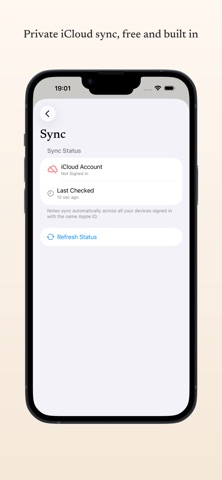
Notera is built on CloudKit. Your notes sync privately and automatically between iPhone, iPad, and Mac through your iCloud account. There's no Notera account to create, no server in between, and no third party in the loop — only your devices and your iCloud.

MAC-FIRST FEELS

A three-column layout, full keyboard shortcuts, menu bar commands, and a Settings window that fits the platform — Notera was built natively for macOS, not ported to it.

iPAD-NATIVE

External keyboard shortcuts, three-column NavigationSplitView, and drag-to-reorder everywhere. Use a Magic Keyboard, the Smart Folio, or your fingers — Notera adapts.

PRIVATE BY DESIGN

No accounts. No analytics. No advertising. No tracking. Your notes sync through your private iCloud database — Apple can't read them and we can't either.

KEYBOARD-FRIENDLY

⌘N new note, ⌘⇧N quick capture, ⌘⇧P pin, ⌘E archive, ⌘1/2/3 to switch between All / Pinned / Archived. Checklist items support ⌘⇧↑↓ to reorder, ⌘⇧→← to indent, and ⌘⇧. to toggle complete.

A NOTE ABOUT THE NAME

"Notera" is Swedish for "to note." A small Scandinavian wink in a global app.