ZapCopy! When copy-paste isn't an option

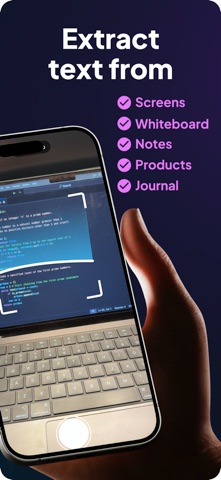
Locked screens. Read-only PDFs. Handwritten notes. Printouts. ZapCopy reads the text live and hands it to whatever editor you're working in.

Point your phone at any screen. Snap the QR shown by ZapCopy on your other computer. The text streams over. No retyping. No emailing yourself. No USB stick.

KEY FEATURES

SMART PHOTO OCR
• Snap a photo or import from your camera roll
• AI-powered text extraction with high accuracy
• Crop and focus on specific areas for precise results
• Process single images or batch collections

MULTI-SHOT COLLECTIONS (Premium+)
• Capture multiple photos in one session
• Process entire document sets at once
• Perfect for multi-page documents and presentations

WORKFLOWS (Ultra)
• Turn a scanned photo into a spreadsheet, a report, a reply, and more
• Snap a receipt for an itemized spreadsheet, a recipe for a clean cook-along, a page of notes for a summary
• Pick your output format and let ZapCopy build it for you

VIDEO OCR (Ultra)
• Extract text from video recordings and screen captures
• Capture text from tutorials, presentations, or scrolling content
• Background processing with push notifications when complete

INSTANT EDITOR HANDOFF
• Send text directly to VS Code, Cursor, or Google Docs in one scan
• Copy to clipboard, share via email/Messages, or export with custom formatting
• Companion extensions for VS Code and Google Docs

PRIVACY & SECURITY
• Face ID / Touch ID app protection
• Cloud processing with end-to-end encryption

PERFECT FOR
• Developers: Move code from a second screen, a screenshot, or a printout straight into your editor
• Students: Capture notes from whiteboards and textbooks
• Professionals: Digitize business cards, receipts, and documents
• Researchers: Convert printed materials to editable text

SUBSCRIPTION PLANS

FREE
• 10 credits to try the app
• Photo OCR processing
• Gallery storage

PREMIUM ($4.99/month)
• 100 credits/month
• All Free features
• Multi-Shot Collections

ULTRA ($19.99/month)
• 1000 credits/month
• All Premium features
• Workflows
• Video OCR
• Remove branding from exports

Download ZapCopy and never manually type text from a screen again.

Questions? Contact us at [email protected]

Terms of Use (EULA): https://www.apple.com/legal/internet-services/itunes/dev/stdeula/