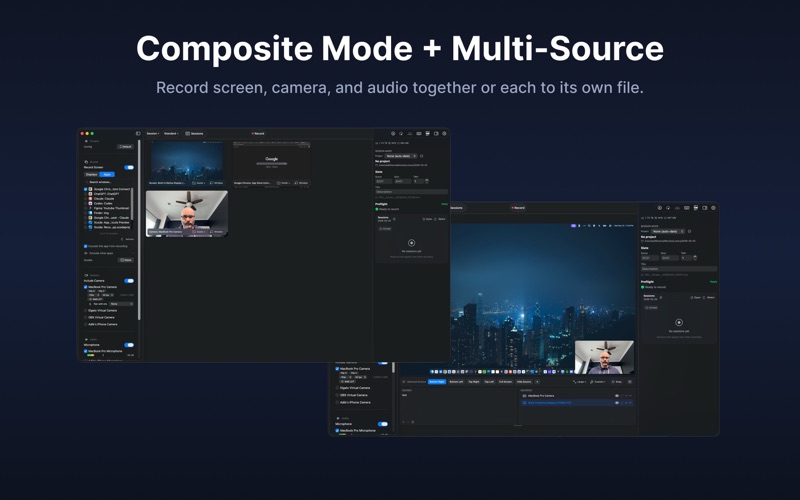
Lumary is a professional screen recording app for macOS. Capture your screen, camera, microphone, and system audio with local-first recording and flexible post-production workflows.

THREE RECORDING MODES
Standard: Record screens, windows, apps, cameras, microphones, and system audio as separate editable sources.
Composite: Combine screens, windows, apps, and cameras into a single composited video with layouts, custom scenes, and camera overlays.
Course: Structured lesson-based recording with courses, modules, lessons, progress tracking, and automatic take organization.

BACKGROUND REMOVAL
Compose your camera over screen or background layers with built-in background removal. Pick Green Screen for an OBS-style chroma key with broadcast green and broadcast blue presets plus Similarity, Smoothness, and Spill controls, or pick Apple to use on-device person segmentation when you don't have a physical green screen. Both modes run in the same Metal pass that renders the rest of the composite, so there is no extra preview latency.

DAVINCI RESOLVE TIMELINE HANDOFF
Build an FCPXML timeline from one or more recorded sessions and import it into DaVinci Resolve with File > Import > Timeline. The handoff references captured media directly, preserving displays, cameras, microphone audio, and system audio as separate clips without creating a delivery export first.

AI ASSISTANT CONTROL
Optional MCP integration lets Claude Desktop or Codex CLI start a recording, switch composite scenes, run the teleprompter, drop markers, or build a DaVinci Resolve timeline from your latest takes. Off by default; you connect once from Settings and turn it off any time.

PER-STREAM CAPTURE QUALITY
High: HEVC at 60 fps with a 160 Mbps target for crisp text and accurate color. Max: ProRes 422 HQ for highest editing fidelity. Compat: H.264 for broad playback. Advanced exposes codec, frame rate, bitrate, ProRes, and keyframe controls — and a Screen / Camera switch so you can set codec and bitrate separately for each stream. Your video bitrate now applies to screen recordings as well as camera, so you can dial in the balance of quality and file size.

CRISP SCREEN RECORDING
Explicit sRGB / Rec.709 color handling keeps colors accurate in players and browser uploads. High-quality screen capture keeps native backing-pixel resolution where available, preserving small text and 1px lines.

CLEAN SOURCE SETUP
Pick displays, windows, cameras, and microphones from focused source sheets. Pair microphones with cameras or displays, and save source choices as recording presets.

LOWER RESOURCE RECORDING
A Preview On / Preview Off control above the live preview lets you stop and start it any time to reduce CPU, GPU, and memory use. Lumary can also pause previews while recording, and the Preview Before Recording setting keeps idle live preview off until you are ready.

SESSION PACKAGES AND EXPORT
Recordings are stored as structured session packages. Export composites or individual sources with configurable codec, container, resolution, frame rate, video bitrate, audio format, sample rate, audio bitrate, and channel mode. Batch export and clean up raw capture data after export.

ANNOTATION AND PRESENTATION
Draw while recording with shapes, arrows, pen, highlighter, text, eraser, laser pointer, image insertion, Excalidraw import, and whiteboard mode. Cursor Highlight, Spotlight, Keystroke Display, and the virtual teleprompter help produce polished recordings.

PROFESSIONAL CODECS
Video: H.264, HEVC, ProRes 422, ProRes 422 HQ, ProRes 4444, and ProRes 4444 XQ. Audio: AAC and PCM lossless. Hardware-accelerated encoding where available.

CONTROL
Menu bar status item, global hotkeys, Stream Deck plugin, URL scheme commands, recording presets, projects, slate metadata, markers, notes, tags, meters, and preflight checks.

PRIVACY FIRST
No cloud. No analytics. No tracking. No account. Everything runs locally.

One-time purchase. Free updates for the current major version.