




Description
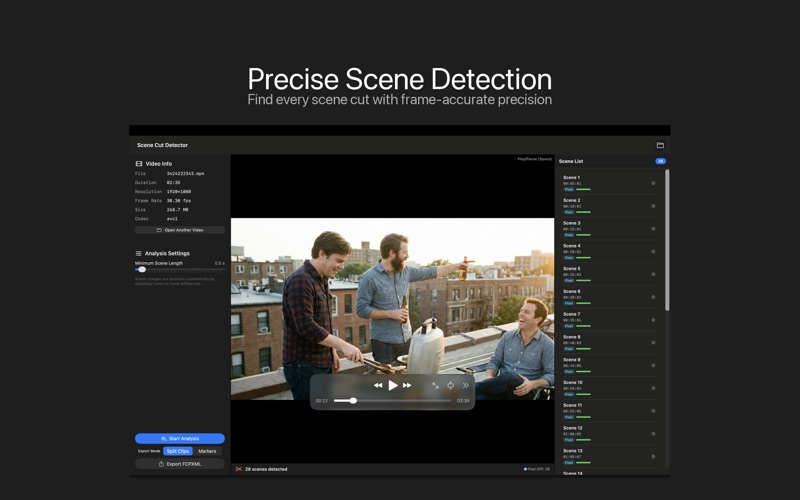
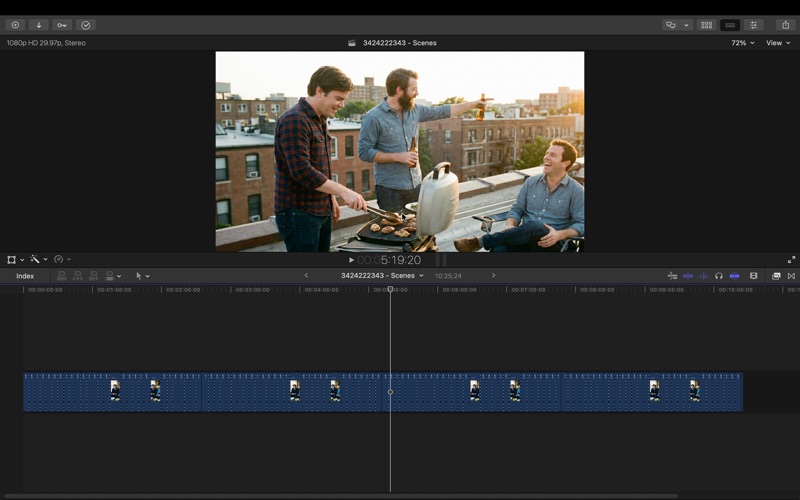
Scene Cut Detector automatically detects cuts (scene transitions) in your video and converts them into an **XML timeline you can open in Final Cut Pro or DaVinci Resolve**
Scene Cut Detector automatically detects cuts (scene transitions) in your video and converts them into an **XML timeline you can open in Final Cut Pro or DaVinci Resolve**.

Instead of cutting clips by hand:

1) analyze once

2) export XML

3) start editing immediately in your NLE.

### Key Features

 **Cut Detection → FCP XML Export**
    - Detects scene cuts and edit points, then generates an XML timeline ready to import into Final Cut Pro or DaVinci Resolve.
**Pre-cut Timeline Import**
    - Import a timeline with all cuts already applied, so you can jump straight into review, selects, and assembly.
**Faster Subtitle Workflow**
    - A cut-separated timeline makes it easier to align subtitles to edit points, keeping captions clean across scene changes.
**Local Processing (No Uploads)**
    - Runs entirely on your Mac with no cloud processing, so your media stays private.

### Supported

**Frame Rates**
    - 24, 23.976, 25, 29.97, 30, 47.952, 48, 50, 59.94, 60, 119.88, 120 fps
**DaVinci Resolve**
    - Export as **FCP 7 XML**, then import via **File → Import Timeline**.
    - Works with both Free and Studio versions.

### Important Note

**Variable frame rate (VFR) footage is not recommended.**
    - For best results, transcode VFR media to **constant frame rate (CFR)** before analysis.

### Perfect for

- Documentaries, interviews, vlogs, lectures, event videos, and more
- Anyone who wants to **reduce time-to-first-edit** on long or cut-heavy footage
- Editors who want **analyze once + import a ready-to-review timeline**

* Purchase Model

No subscription, just a one time purchase for lifetime access.
Enjoy all features with no additional costs.
