



Description
Smart TV Remote Pro turns your phone into a remote for compatible Smart TVs
Smart TV Remote Pro turns your phone into a remote for compatible Smart TVs. Everything happens on your local Wi‑Fi—no account, no cloud, no subscription.

How it works
- Your phone and TV must be on the same Wi‑Fi network.
- The app discovers TVs on the network or lets you enter the TV’s IP address to connect.
- Once connected, it sends the same kinds of key presses (power, volume, channel, D‑pad, etc.) that a physical remote sends, using Smart TV's standard remote API over the local network.

What you can do
- Discovery: Scan for Smart TVs on the network or add a TV manually by IP.
- Remote control: Full on-screen remote with:
  - Basic: Power, mute, volume up/down, channel up/down, previous channel, D‑pad (up/down/left/right), OK, and shortcuts (Home, Back, Source, Menu, Guide, Info).
  - Numbers: Digit pad 0–9 and previous channel for direct channel entry.
  - Media: Rewind, play, pause, stop, fast forward for built‑in apps and connected sources.
- Settings: Choose light, dark, or system theme; see app version; open Privacy Policy and Terms of Service.
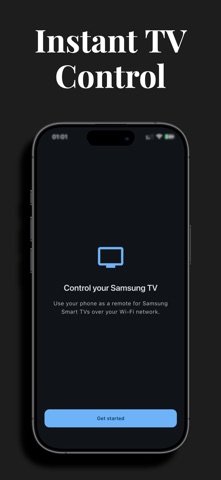
- First launch: Short onboarding explains that the app uses the local network to find and control your TV.
分类: 工具(185746)
版本: 1.1
BundleId: com.yabelsoftware.samsungtvremote
开发者: yahya belhaddad
最近更新: 2026-05-04
