Terminal Manager turns your shell history into searchable, structured workflow insight on macOS
Terminal Manager turns your shell history into searchable, structured workflow insight on macOS.

Find commands instantly, analyze usage trends, and organize what matters so you can reduce repetition and move faster in the terminal.

Built for developers who work in the command line every day.

KEY FEATURES

• Powerful history search
Search and filter large command histories quickly.

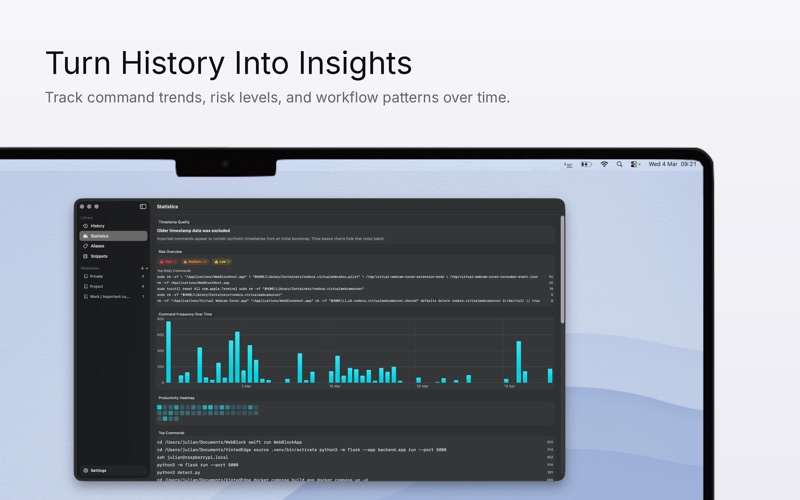
• Usage analytics
See command trends, activity over time, and practical statistics.

• Risk awareness
Surface potentially destructive or sensitive commands before reuse.

• Aliases and snippets
Create reusable shortcuts and parameterized command templates.

• Notebooks and organization
Save important commands in notebooks for repeatable workflows.

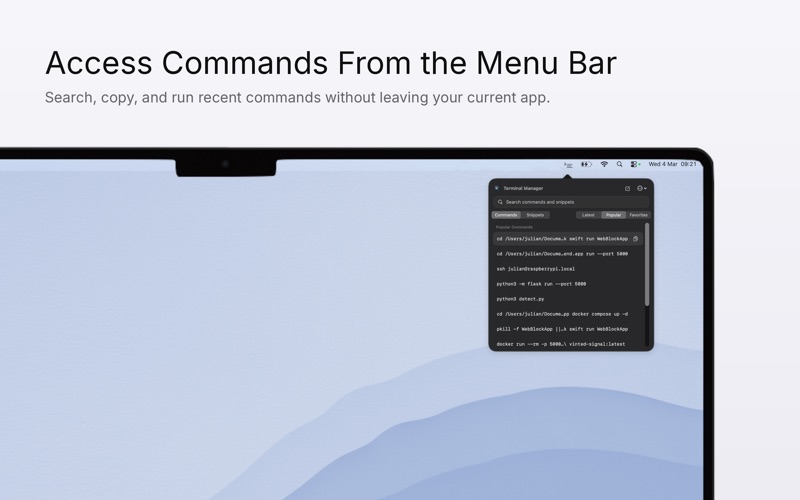
• Menu bar quick access
Search, copy, and run commands faster from the menu bar.

• Local-first privacy
Your data stays on your Mac by default. Optional private iCloud backup stores your data in your own iCloud account for your devices.

Terminal Manager never runs commands automatically. It analyzes shell history files only after you explicitly grant access.