Can't decide what to eat? FoodSwipe makes it easy!

Swipe through nearby restaurants or discover what you want to eat. Swipe right to like, left to skip. The more you use it, the smarter it gets.

 RESTAURANT MODE

- Discover nearby restaurants by swiping through cards
- After choosing a restaurant, explore the dishes you can eat there
- Smart recommendation system learns your preferences and shows the best matches
- Filter by distance, price range and cuisine type
- Get directions with one tap via Google Maps

 FOOD MODE

- Choose from categories: main course, soup, dessert, appetizer or breakfast
- Swipe through hundreds of dishes to find what you're craving
- Instantly see nearby restaurants that serve your chosen dish
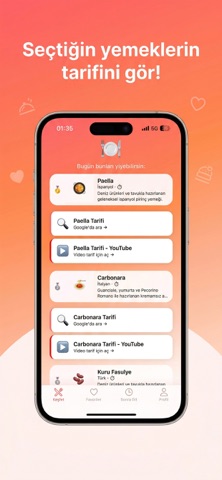
- Want to cook at home? Get recipe links and YouTube video guides

 OTHER FEATURES

- Favorites & Save for Later — Save places you love, visit them later
- Multi-Language Support — Turkish, English, German, Russian and Arabic

 HOW IT WORKS

1. Open the app and allow location access
2. Choose Restaurant or Food mode
3. Swipe cards — right to like, left to skip
4. See your best matches list
5. Head to the restaurant or follow the recipe!