



Description
Every byte, accounted for
Every byte, accounted for.

When Finder finishes a copy, it never reads the file back to confirm. VerifiedCopy does — re-reads every byte from the destination, matches it against the source, and only then says OK. The bytes are made to prove themselves.

Built for the people who can't afford to lose bytes: photographers, videographers, music producers, archivists, VFX artists, and IT pros moving work that has to arrive intact.

COPY & VERIFY
Drag a source folder, pick up to three destinations, go. Every file is copied and then read back end-to-end with a SHA-256 pass. If anything doesn't match, you'll know immediately — not six months later when a client asks for the raw footage.

VERIFY & REPAIR
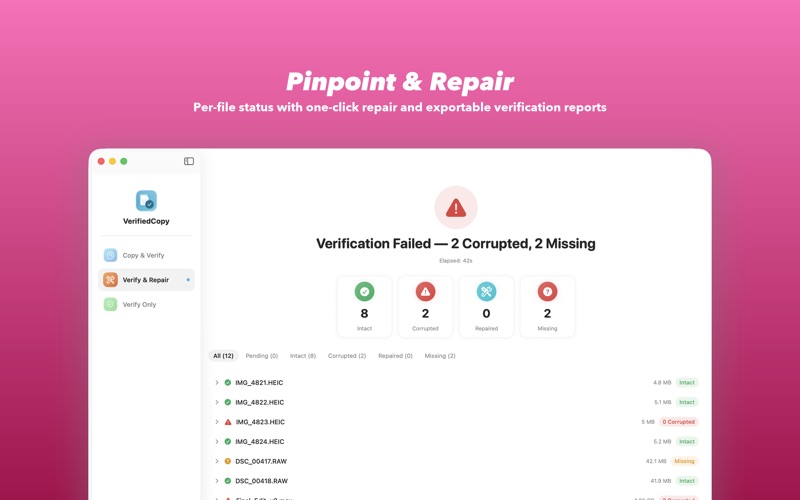
Point VerifiedCopy at an existing backup and a known-good source. It scans every chunk, identifies corruption, and replaces only the damaged blocks. No re-copying terabytes because a few bytes went bad.

CHUNK-LEVEL HASHES
Files are split into configurable chunks (1 MB – 16 MB) and each chunk gets its own SHA-256. Corruption is pinpointed to the exact bytes that went bad, not just "this file is broken."

INTEGRITY VIEW
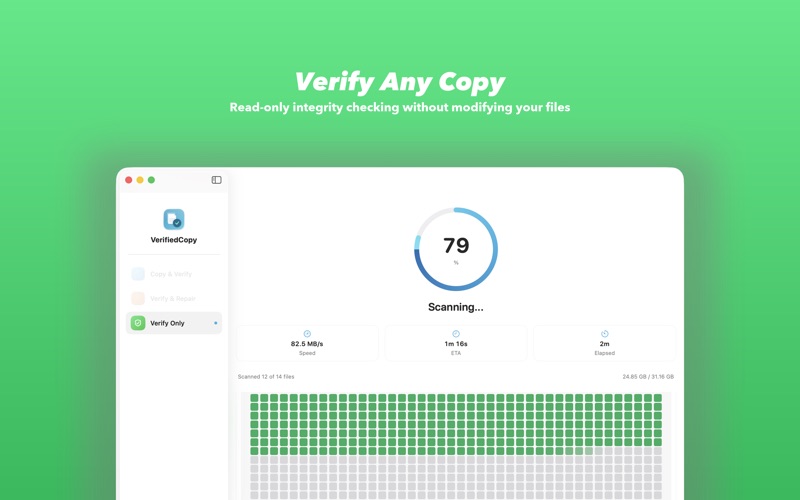
A block map shows the status of every chunk at a glance — intact, corrupted, repaired, or failed — so you always know exactly where you stand.

FAN-OUT TO MULTIPLE DRIVES
Copy to up to three drives in one pass. Perfect for the 3-2-1 backup rule — make all your copies at once.

IN YOUR MENU BAR, FINDER, AND SHORTCUTS
A full-color progress ring in the menu bar tracks copies while you work. Start verified copies from Finder's Services menu, by dropping files on the Dock icon, or with the "Copy and Verify Files" action in Shortcuts and Spotlight. VerifiedCopy remembers your destination drives and recognizes your backup drives the moment they're plugged in.

BUILT FOR LARGE FILES
64 GB camera cards, multi-TB sample libraries, VFX renders, server backups — VerifiedCopy handles it. Parallel copying, configurable concurrency, and automatic retries keep things moving.

HASH MANIFESTS
Every copy operation generates a JSON manifest with per-chunk hashes, offsets, and sizes. Store manifests alongside your files or in the app's support directory. Manifests are what make future verification and repair possible.

PROFESSIONAL WORKFLOW
• Auto-dated destination folders
• Configurable overwrite/skip/ask conflict resolution
• Pre-flight conflict scanning before any files are touched
• Export reports as CSV or JSON
• Post-copy actions: eject drive, open in Finder, or do nothing
• Eject destination drives right from the results screen
• Real-time speed, ETA, and Dock badge progress
• Local notifications when operations complete

OFFLINE, ALWAYS
VerifiedCopy never connects to the internet. No analytics, no telemetry, no data collection. Native Swift, sandboxed, your files stay on your drives and nowhere else.

Especially relevant for exFAT drives on macOS, where silent file corruption is a longstanding issue. VerifiedCopy reads every copy back from the destination and compares it byte-for-byte against the source.
