

Description
FrameForge gives your photos the presentation they deserve
FrameForge gives your photos the presentation they deserve.

Whether you're a photographer sharing work on social media, a creative director preparing images for clients, or someone who simply wants their pictures to look polished, FrameForge makes it effortless. Add beautiful, customisable borders to any photo in seconds, with zero quality loss.

Clean borders. Perfect every time. FrameForge processes your images at full resolution using Apple's own imaging frameworks. No compression, no resampling, no shortcuts. What goes in comes out,  only better.

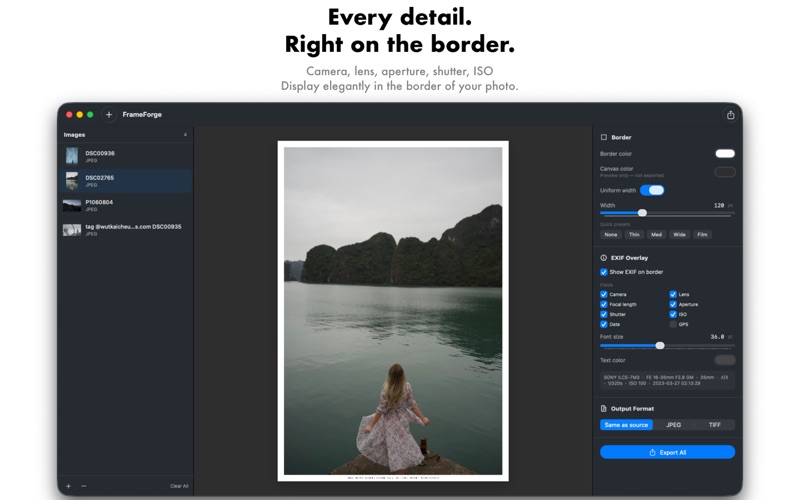
Your frame, your rules. Choose any border colour using the full macOS colour picker. Set uniform widths or dial in each side, top, bottom, and sides independently. From a subtle 10px white frame to a dramatic 200px cinematic border, you're in full control.

EXIF data on your border. Turn your border into a creative statement. Enable the EXIF overlay to display your shooting data, camera, lens, focal length, aperture, shutter speed, ISO, date, and GPS, elegantly centred in the bottom border. Choose which fields to show, set the font size from 8pt to 72pt, and pick any text colour. Perfect for photography portfolios, educational content, and behind-the-scenes posts.

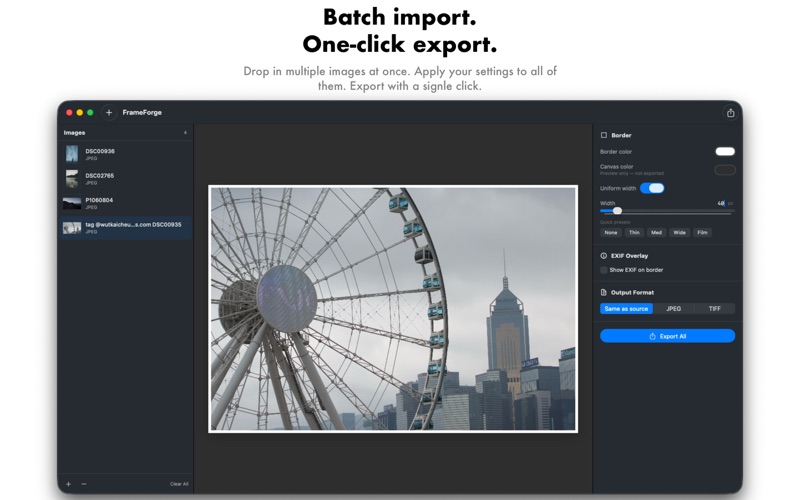
Batch processing built in. Import as many images as you need in one go. Drag them straight from Finder onto the app window, or use the file picker. FrameForge applies your settings to every image and exports them all with one click.

Live preview before you export. See exactly how your framed image will look before saving a single file. Adjust sliders, change colours, toggle EXIF fields  the preview updates in real time. No surprises, no wasted exports.

Supports the formats photographers use. Import and export JPEG and TIFF. Keep the original format or choose your output.

Five quick presets. Jump straight to a look with one click None, Thin, Med, Wide, or Film. The Film preset gives you a wider bottom border, just like a darkroom print.

macOS native, through and through. FrameForge is built entirely with SwiftUI and Apple's imaging stack. It feels at home on your Mac fast, responsive, and respectful of your files.
No network access. No data collection. Your photos never leave your machine.

Simple. Powerful. Beautiful. FrameForge, because every great photo deserves a great frame.
分类: 图像与设计(11098)
版本: 2.0
BundleId: com.FilmPixStudios.FrameForge
开发者: FILMPIX STUDIOS LIMITED
最近更新: 2026-04-23
