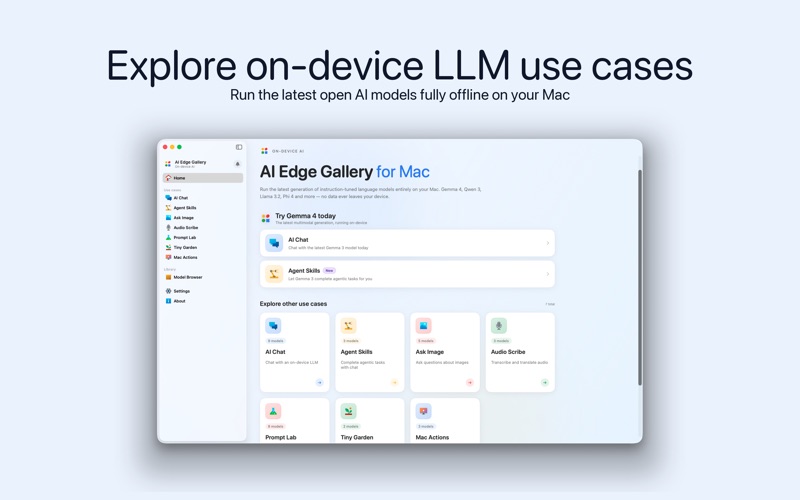
Run the latest open AI models fully on-device on your Mac. Private, offline and free — Gemma 4, Qwen 3, Llama 3.2, Phi 4 and more, through MLX on Apple Silicon.

AI Edge Gallery brings the newest generation of open large language models to your Mac, running 100% on-device through MLX Swift on Apple Silicon. No cloud APIs. No telemetry. No subscriptions. Your prompts, images and audio never leave your Mac.

CURATED MODEL CATALOG
Powered by the mlx-community on Hugging Face, the built-in catalog ships the latest open-weights models:

• Gemma 4 (E2B, E4B, 31B) — multimodal, 128K context
• Gemma 3 (1B, 4B) — fast and efficient, QAT quantised
• Qwen 3 (0.6B, 1.7B, 4B Instruct) — long-context reasoning
• Llama 3.2 (1B, 3B) — compact, versatile, 128K context
• Phi 4 (Mini, 14B) — strong reasoning and code
• Qwen 2.5 VL (3B, 7B) — vision, OCR, document understanding
• PaliGemma — visual question answering
• SmolLM 2 — lightweight edge inference

SEVEN USE CASES, ONE APP

◆ AI Chat — Multi-turn conversations with streaming tokens, full markdown with fenced code blocks and one-tap copy, thinking-mode reasoning traces, and a native chat bubble UI designed for long sessions.

◆ Agent Skills — Tool-calling with real interactive MapKit maps, sandboxed code execution, Wikipedia lookup, and Shortcuts integration. Ask the model to show a location on a map and it actually renders one.

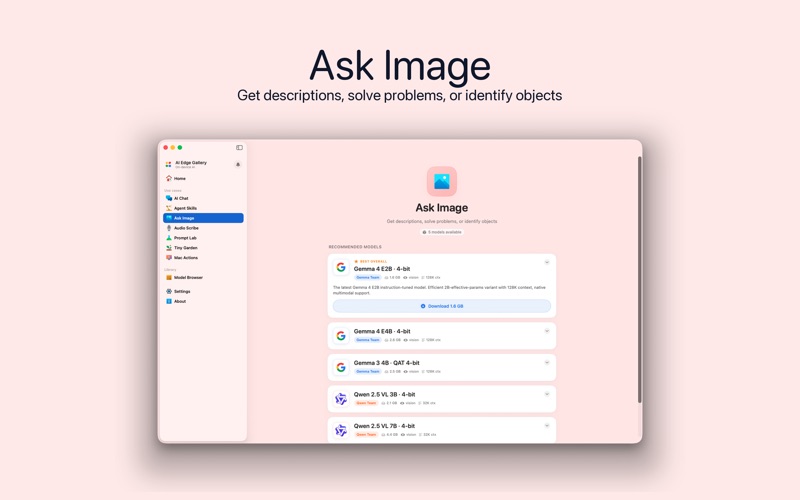
◆ Ask Image — Drag and drop any photo or screenshot. Vision-capable models describe scenes, identify objects, read documents, solve visual puzzles, and write detailed captions — all on-device.

◆ Audio Scribe — Real-time speech transcription powered by Apple's on-device Speech framework, plus on-device translation into Spanish, French, German, Japanese, Korean, Mandarin, Hindi and Portuguese.

◆ Prompt Lab — Single-turn templates for summarising, rewriting, translating, explaining, keyword extraction and creative writing, with full control over temperature, top-p and max tokens.

◆ Tiny Garden — A cozy natural-language sandbox where you grow an emoji garden by describing what to plant. A delightful way to explore open-ended prompting.

◆ Mac Actions — Type plain English and let the on-device model open URLs, reveal folders in Finder, compose Mail, open Maps, copy to clipboard, or trigger Shortcuts. Real macOS side-effects, not mock-ups.

INSTALL ANY MODEL
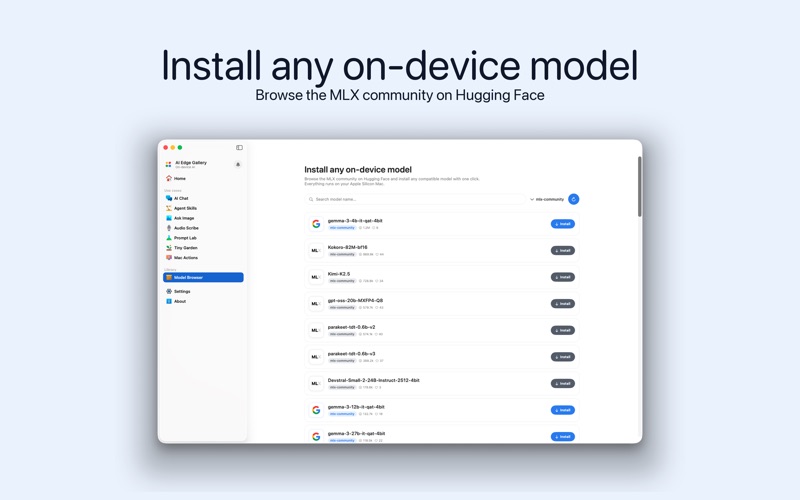
The Model Browser lets you search and install any compatible model from the mlx-community on Hugging Face with a single click. Live download progress with cancel and resume. Downloads continue in the background even after you close the main window, with live progress in the menu bar extra.

DESIGNED FOR APPLE SILICON
Native MLX Swift integration runs inference directly on the Mac GPU through Metal. No llama.cpp shim, no translation layer. Full use of unified memory. Models stream their first tokens in a second or two on any M1 or later Mac.

100% PRIVATE, BY DESIGN
Every token is generated locally. There is no telemetry, no analytics SDK, no account, no login. Your conversations, photos, voice recordings and model weights stay on disk. The only network call AI Edge Gallery ever makes is to pull model weights from Hugging Face when you explicitly tap Download.

A CALM ALTERNATIVE
AI Edge Gallery is a respectful alternative to subscription-based cloud AI chat apps. You get full access to the newest open models, running at full speed on your own hardware, for free and forever.

MODERN macOS
Native NavigationSplitView sidebar, full dark mode, MenuBarExtra quick-launch, native notifications, drag-and-drop image input, keyboard shortcuts for every use case (⌘1 – ⌘7), and a clean first-run onboarding that introduces every model family.

REQUIREMENTS
• macOS 14 (Sonoma) or later
• Apple Silicon (M1, M2, M3 or M4)
• 8 GB unified memory minimum; 16 GB+ recommended for larger models

Download AI Edge Gallery and run the newest open AI models — privately, offline, and free.

https://sites.google.com/view/vishalterms