Tug is a timer for macOS that you pull.

The way it works:

• Pull the tug’s tongue down from your menu bar
• The further you pull, the longer the timer
• Release where the duration feels right
• Type a name, hit Enter
• Animated pupils that track the cursor, with a toggle in settings

No dialog boxes. No clicking through dropdowns. Three seconds from "I need to remember this in five minutes" to a running timer.

WHAT TUG DOES

• Up to 20 simultaneous timers, sorted by what's firing next
• Inline countdown in your menu bar — glance, don't click
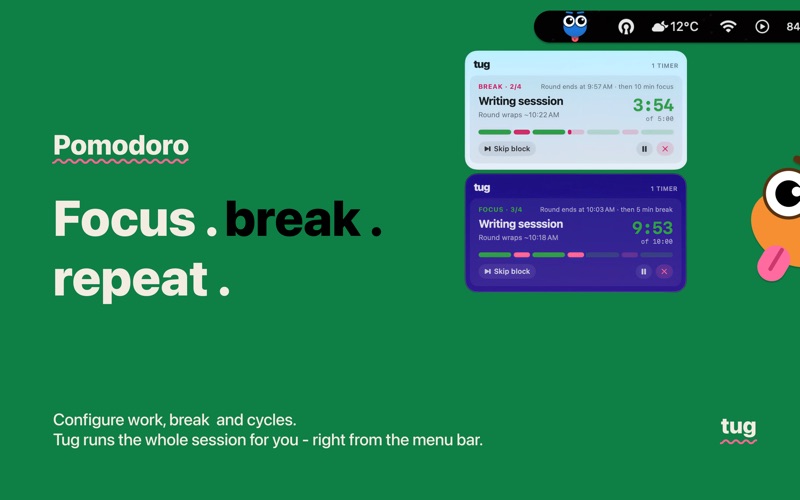
• Pomodoro mode — chain work and break cycles with one toggle
• Quick start menu — right-click for 5 / 10 / 25 / 60-minute presets
• Global hotkey to open the timer entry from anywhere
• Global hotkey to peek at active timers
• System notifications with one-tap snooze
• Pause and resume any timer

DESIGNED FOR YOUR MAC

• Lives in the menu bar — no Dock icon, no main window
• Respects Reduce Motion and VoiceOver
• Seven accent themes, light and dark mode
• Universal binary for Apple Silicon and Intel

NEVER LEAVES YOUR MAC

Tug doesn't network. No account, no telemetry, no analytics, no cloud sync, no third-party SDKs. Timers and preferences live in macOS's standard Application Support folder — only your user account can read them. Deleting Tug removes everything.