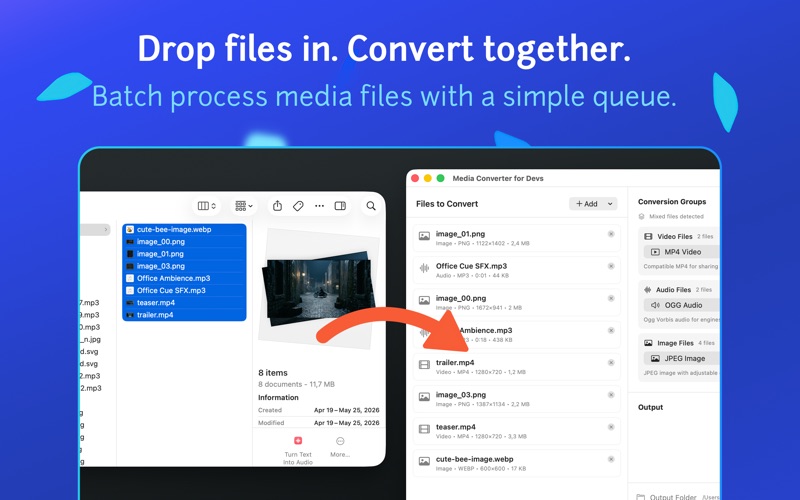
Media Converter for Devs is a fast, local-first media conversion tool for macOS.

Convert videos, audio files, images, and image sequences into developer-friendly formats without uploading your files anywhere. Drop files or folders into the app, choose an output format, and export clean assets for apps, games, websites, prototypes, and creative tools.

Built for developers and creators who need quick format conversion without a complicated editing suite.

Features:
• Convert video, audio, and image files
• Extract image sequences from videos and GIFs
• Create GIFs or videos from image sequence folders
• Batch conversion with a simple queue
• Drag and drop files or folders
• Local processing on your Mac
• No account required
• Developer-friendly output formats
• FFmpeg-powered fallback for wider format support
• Useful for app, game, animation, and web asset preparation

Supported workflows include:
• Video conversion: MP4, MOV, WebM, OGV, GIF
• Audio conversion: MP3, WAV, OGG, M4A, AAC, FLAC, AIFF
• Image conversion: PNG, JPEG, WebP, TIFF, GIF, HEIC, BMP
• Image sequence extraction from videos and GIFs
• GIF or video creation from image sequence folders

Supported input formats include MP4, MOV, WebM, MKV, AVI, M4V, MPEG, MPG, 3GP, OGV, GIF, MP3, WAV, M4A, AAC, OGG, FLAC, AIFF, CAF, PNG, JPEG, WebP, TIFF, HEIC, BMP, TGA, and more depending on your selected conversion path.

Use it to:
• Convert videos for apps or websites
• Prepare audio files for games and prototypes
• Export images into web-friendly formats
• Convert TGA game assets into common image formats
• Extract frames from videos and GIFs
• Build GIFs or videos from image sequences
• Quickly batch-convert media assets
• Keep your files local while working

Media Converter for Devs is designed to do one thing clearly: help you convert media files quickly, locally, and without friction.