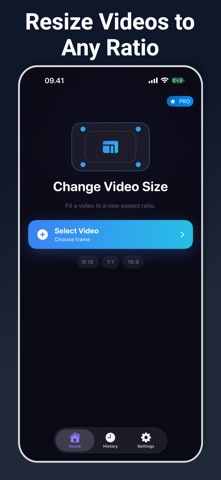
Change Video Size helps you prepare a local video for the frame you need.

Import a clip from Photos or Files, preview it in the editor, and choose a layout such as Original, 9:16, 1:1, 4:5, or 16:9. Use Fit to keep the whole frame visible, or Fill when you want the video to cover the new canvas. Export quality options let you keep the source quality, cap at 1080p for balanced sharing, or use a smaller 720p output.

When the resize is finished, you can rename the result, save it to Photos, share the MP4, or reopen recent exports from History. The app is useful for turning one clip into formats for stories, reels, posts, thumbnails, messages, and landscape or portrait layouts.

Key features:
- Resize videos to common vertical, square, portrait, and widescreen ratios
- Fit or Fill framing for full-frame preservation or edge-to-edge output
- MP4 export with Original, Balanced, and Saver quality choices
- Import from Photo Library or Files
- Save to Photos, share the file, and keep recent exports in History

Processing is handled on device. Results depend on the source video, available storage, selected ratio, and quality setting.

Optional Pro access is available for users who want repeated resize exports without daily limits and a cleaner editor without ads.

Privacy Policy: https://kociapp.github.io/Change-Video-Size/privacy-policy.html
Terms of Use: https://kociapp.github.io/Change-Video-Size/term-of-use.html