Wireless Image Utility
5.0 13.69MB 1 Free
Version 2.3.0
Updated 2015-05-19
Developer Sharp Display Solutions, Ltd.

Description
************************************************* New application "MultiPresenter" is the successor to "Wireless Image Utility"
*************************************************
New application "MultiPresenter" is the successor to "Wireless Image Utility".
Please search "MultiPresenter".
*************************************************

Wireless Image Utility is a software for projecting photos and documents to the NEC projector via wireless LAN from iPad / iPhone / iPod touch.

Main Features
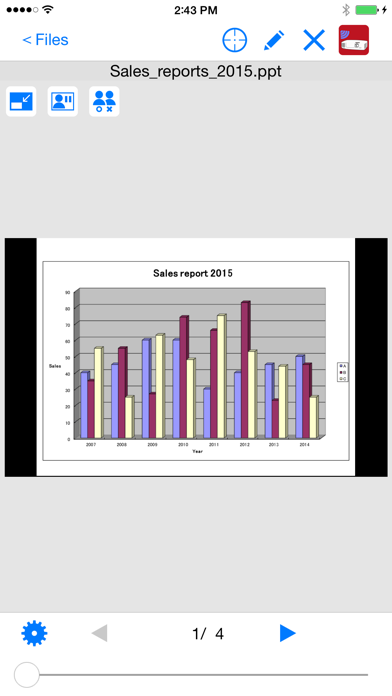
  Images and documents stored in Wireless Image Utility can be projected to the projector.
  Photos in the album can also be projected to the projector.

Camera Feature
  Images captured by the built-in camera can be projected to the projector in real time.

Web Feature
  Web pages can be projected to the projector.

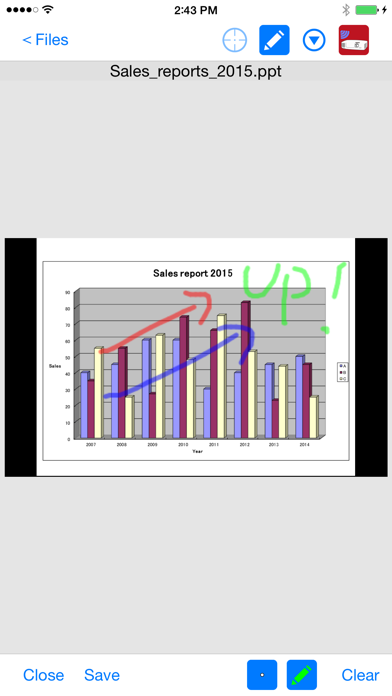
Marker Feature
  You can draw lines or characters into projected photos / documents.

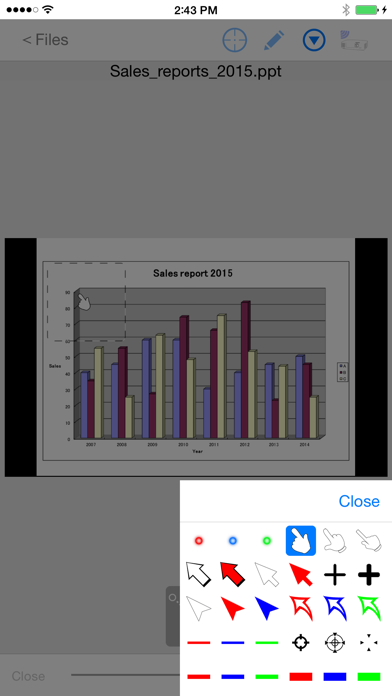
Pointer Feature
  You can display the pointer where you want the attention of photos and documents.

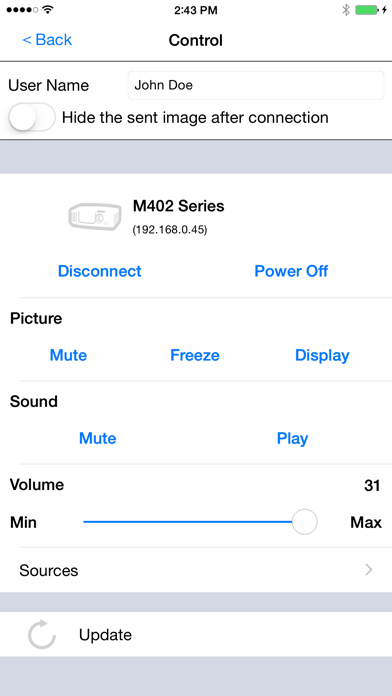
Projector Control Feature
  You can control the connected projector.
  Switching input signal, Picture-Mute, Sound-Mute, etc. are available.

Multiple Connection Feature
  With projectors compatible with the multiple connection feature, connections can be accepted simultaneously with the multiple devices. In addition, images transferred from multiple devices can be displayed in split screen mode with multiple views and a single image can be displayed in full screen mode.


Supported Projectors for Multiple Connection Feature:
- NP-UM352W
- NP-UM351W/NP-UM301W/NP-UM361X/NP-UM301X (FIRMWARE 1.02 or later)
- NP-P502HL/NP-P502WL
- NP-P502H/NP-P452H/NP-P502W/NP-P452W
- NP-M403W/NP-M363W/NP-M323W
- NP-M403X/NP-M363X/NP-M323X/NP-M283X
- NP-M353WS/NP-M303WS/NP-M333XS
- NP-M403H/NP-M323H

Supported Projectors:
- NP-M402H/NP-M322H
- NP-M402W/NP-M362W/NP-M322W/NP-M402X/NP-M362X/NP-M322X/NP-M282X
- NP-M332XS/NP-M352WS/NP-M302WS
- NP-M361X/NP-M311X/NP-M271X/NP-M311W/NP-M271W
- NP-M350X/NP-M300X/NP-M260X/NP-M230X/NP-M300W/NP-M260W/NP-M350XS/NP-M300XS/NP-M260XS/NP-M300WS/NP-M260WS/NP-M420X/NP-M420XV
- NP-UM330X/NP-UM280X/NP-UM330W/NP-UM280W
- NP-P501X / NP-P451X / NP-P451W / NP-P401W
- NP-P420X/NP-P350X/NP-P350W
- NP-PA621U/NP-PA521U/NP-PA671W/NP-PA571W/NP-PA721X/NP-PA621X
- NP-PA600X/NP-PA500X/NP-PA550W/NP-PA500W
- NP-PX800X/NP-PX700W/NP-PX750U (FIRMWARE3 1.05.137 or later)
- NP-PH1000U (FIRMWARE3 1.05.137 or later)

Supported Languages:
 English / Japanese / Simplified Chinese / German /
 French / Italian / Spanish / Swedish / Russian /
 Korean / Portuguese

Available File Formats:
- Adobe® PDF (.pdf, PDF1.7, Acrobat® 8 compatible)
- Microsoft® Word (.doc / .docx, Office 2003 or later)
- Microsoft® Excel® (.xls / .xlsx, Office 2003 or later)
- Microsoft® PowerPoint® (.ppt / .pptx, Office 2003 or later)
- Keynote (.key)
- Numbers (.numbers)
- JPEG (.jpg / .jpeg)
- PNG (.png)
- GIF (.gif)
- TIFF (.tiff)
- Bitmap (.bmp)
Category: ()
Version: 2.3.0
BundleId: com.necds.WIUtility
Developer: Sharp Display Solutions, Ltd.
Updated: 2015-05-19
