Flick Delete is a fast, satisfying way to clean up your iPhone camera roll and free up storage
Flick Delete is a fast, satisfying way to clean up your iPhone camera roll and free up storage. If your Photos app is overflowing with duplicates, screenshots, random memes, blurry shots, or old downloads, Flick Delete helps you organize photos quickly—one swipe at a time.

Swipe-based photo cleaning (simple & addictive):
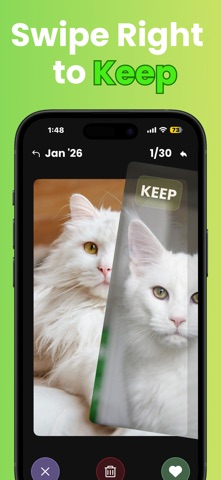
• Swipe left to delete, swipe right to keep
• Move quickly through batches without opening every album
• Keep only your favorites, remove what you don’t need
• Great for daily cleanup or a big storage clean

Smart ways to review your library:
• Recents: clean the newest photos first
• On This Day: revisit memories and remove clutter
• Random: discover forgotten photos and clear space

Designed for speed:
• Smooth, responsive swiping
• Fast loading even in large libraries
• Simple controls built for one-handed use

Safe by design:
• Deleted items go to iOS “Recently Deleted” first (your safety buffer)
• You stay in control—review and restore anytime in Photos

Personalize your look:
• Choose from multiple themes so the app matches your style
• Clean UI that keeps focus on your photos

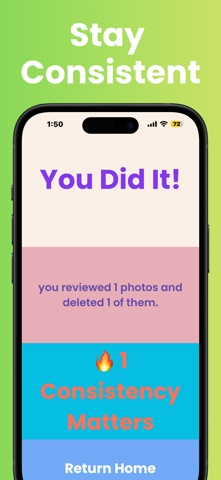
Stay consistent, save space:
Small cleanups add up. A few minutes a day can remove hundreds of unwanted photos and reduce camera roll chaos. Whether you’re trying to free iPhone storage, tidy your camera roll, delete screenshots, or organize your photo library, Flick Delete makes it easy.

Get started:
Grant Photos access, pick a set (Recents, On This Day, or Random), then swipe to keep or delete. Clean your camera roll faster—and feel the relief immediately.