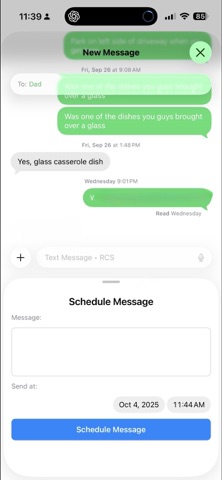
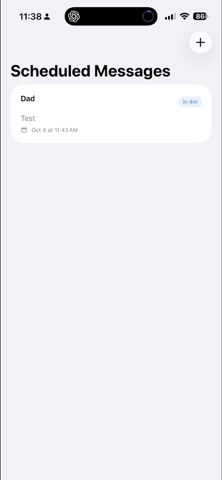
MessageScheduler helps you send messages at the perfect time—especially to friends, family, and clients on Android
MessageScheduler helps you send messages at the perfect time—especially to friends, family, and clients on Android.

WHY YOU’LL LOVE IT
• Schedule once, never forget again
• Works great for Android recipients (SMS/MMS)
• Clean, simple workflow to set time and recipients
• Reliable notifications so you can send with one tap
• Edit, reschedule, or cancel any time

POPULAR USES
• Birthday and anniversary messages
• Client follow-ups during business hours
• “Don’t forget” reminders for yourself or your team
• Time-zone friendly outreach

HOW IT WORKS
1) Create a new scheduled message
2) Choose recipients and draft your text
3) Pick the date and time
4) You’ll get a notification—send with one tap

NOTES
• iOS may require a quick confirmation at send time
• Enable notifications in Settings for the best experience

SUPPORT
Questions or feedback? Email [email protected]