
Plug That In: Battery Monitor
0.0 711.77KB 0 ¤8.00
Version 1.2.0
Updated 2025-12-05
Developer Pravendra Singh


Description
# Never Let Your MacBook’s Battery Catch You Off Guard Again Imagine this: You’re deep in focus mode, presenting your big idea on your MacBook during an online meeting
# Never Let Your MacBook’s Battery Catch You Off Guard Again

Imagine this: You’re deep in focus mode, presenting your big idea on your MacBook during an online meeting.
Your battery level starts dropping — first to 10%, then 6%.

Before you can react, the screen goes black.
You freeze mid-sentence, watching your meeting — and your credibility — drain away.

Those two minutes it takes to charge back up feel like a lifetime.
You rejoin and mumble, “Sorry, my battery died.”

Sound familiar?

# Stay in Control of Your Power & Peace of Mind

Plug-That-In is a lightweight, smart menu-bar companion app for macOS that monitors your MacBook’s battery health and sends timely alerts and notifications before your power runs low. It helps you stay productive, calm, and in the zone — not scrambling for a charger.

# What Plug-That-In Does

Configurable Alerts & Warnings
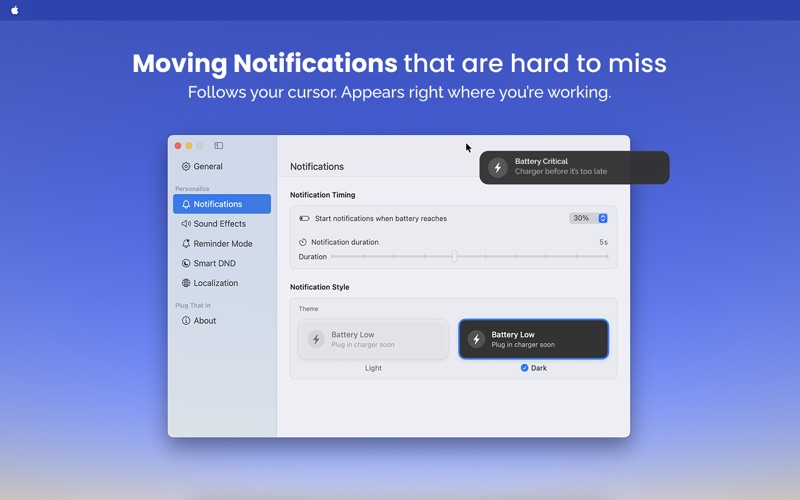
• Set your own battery level thresholds — 30%, 25%, 20%, 15%, 10%, or 5% — and decide how long the notification stays visible (1–10 seconds).
• Get the right reminder at the right time to save your battery’s life.

Floating Notifications:
• The battery alert follows your cursor in real time at 60fps, appearing exactly where your eyes are.
• It’s impossible to miss yet designed not to annoy you — just the right nudge to charge before it’s too late.

Reminder Mode:
• When your battery hits a critical low level, enable extended notifications (15, 30, or 60 seconds) with optional sound alerts every 5 seconds.
• Think of it like your car’s seat-belt warning — gentle, persistent, and effective.

Smart DND:
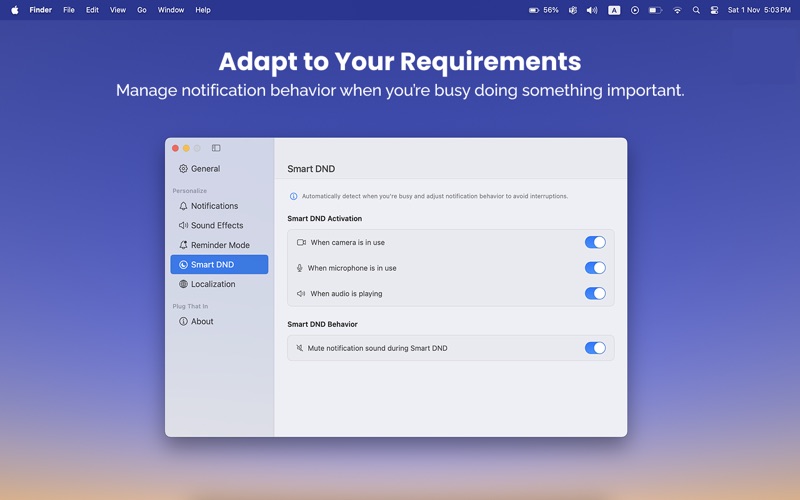
• PlugThatIn respects your focus time and Do Not Disturb settings. Customize exactly when to mute reminders and alerts.
• It automatically detects active microphones, cameras, or audio/video playback to stay silent during meetings, calls, or when you’re watching something.

Multi-language Support:
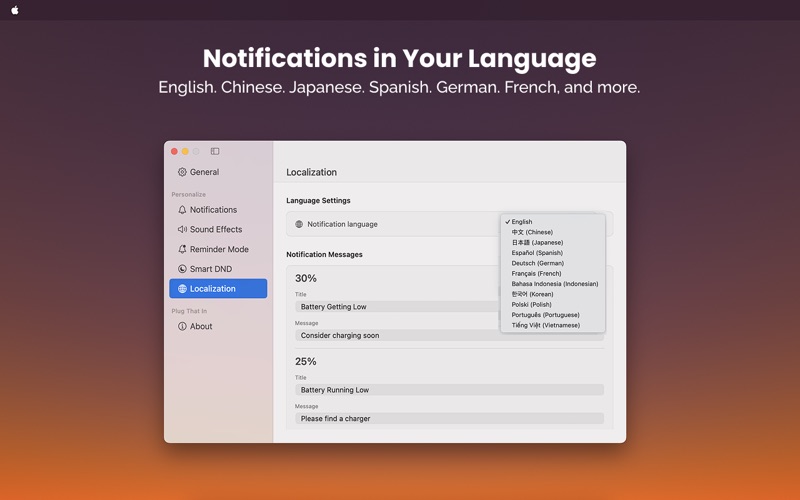
• Available in English, Chinese, Japanese, Spanish, German, and French.

Light & Dark Themes:
• Match your workspace aesthetic — fixed colors ensure clear visibility in any light, without disrupting your focus.

.
# Who It’s For
• Developers, designers, and creatives who get deep into flow and forget to check battery levels
• Remote workers and digital nomads who rely on their MacBook’s battery health for every task
• Students attending classes or working away from outlets
• Presenters, educators, and professionals who can’t afford a sudden low power interruption
• Anyone who’s ever lost progress — and peace of mind — to a dead MacBook

# If that sounds like you, give Plug That In a try.
• Set your thresholds, enable Reminder Mode, and let it remind you to charge before your power runs low.
• Save time, protect your battery’s life, and keep your focus where it matters most — on your work, not your battery.
Category: Utilities(185746)
Version: 1.2.0
BundleId: com.d10ktech.PlugThatIn
Developer: Pravendra Singh
Updated: 2025-12-05
