Hexo is the ultimate color palette management tool for macOS, designed for designers, developers, and creative professionals who demand precision and efficiency in their color workflow
Hexo is the ultimate color palette management tool for macOS, designed for designers, developers, and creative professionals who demand precision and efficiency in their color workflow. Save your colors and palettes locally, offline and on the move.

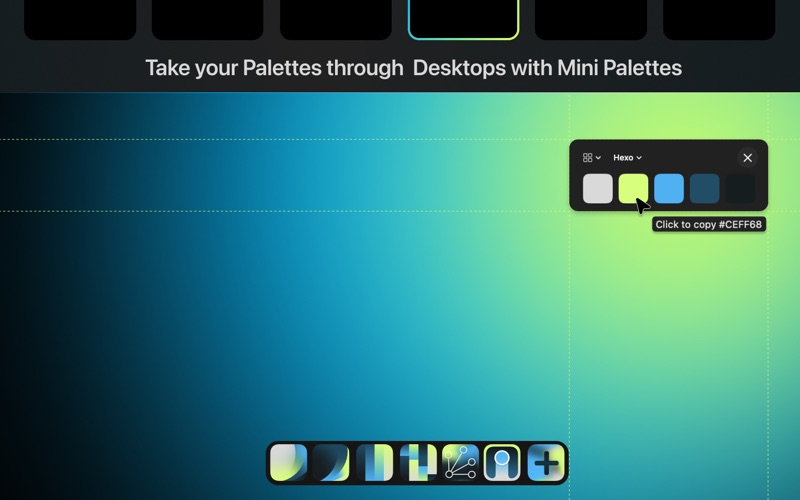
Check color contrast of your own colors or from the web with a WCAG live color contrast pop-up. Take your palettes from desktop to desktop and copy hex codes instantly without the need for app switching, and create custom palettes from your screen with a well-designed UI without the need to open Hexo. Quick access from your menu bar. Left-click for the instant screen color picker, right-click for your favorite palettes and the latest swatch picked with copyable hex codes. Pick colors and save.

Sometimes you see an image you'd love to extract a palette from — drag it into Hexo and extract its colors either manually or using advanced algorithms (K-means clustering, histogram analysis, median cut). Organize your palettes with hierarchical folders, custom icons, and colors. Smart folders give you a synced Finder folder, plus Favorites, Recent, and All Palettes to keep everything at your fingertips. We also added Duplicates — and the ability to delete duplicates — to keep your folders clean and palettes tidy.

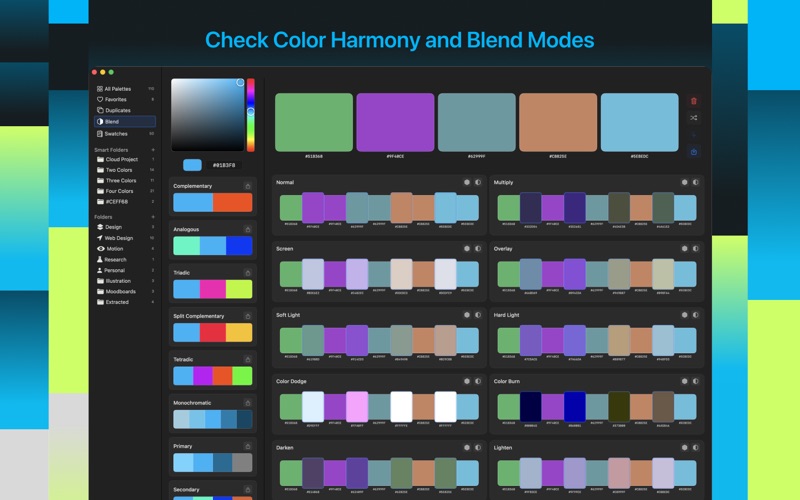
Extract colors and drag them into Blend mode to see how they multiply, screen, overlay, soft light, hard light, difference, and exclusion with each other. You can also explore harmony types (Complementary, Analogous, Triadic, Monochromatic, Split Complementary, Tetradic). Build custom palettes with drag-and-drop ease, up to 15 swatches per palette, with a gradient preview. Import from TXT, JSON, or an image, and export to 8+ formats including JSON, Adobe ASE/ACO, GIMP GPL, CSS, SCSS, and more. Generate code for any framework or design tool.

PERFECT FOR:

UI/UX Designers creating design systems
Web Developers building accessible websites
Brand Designers crafting color identities
Digital Artists exploring color relationships
Product Designers ensuring WCAG compliance

FREE TRIAL & PRICING:
Hexo is free to download and includes a 7-day free trial with full access to every feature. After the trial, continued use requires a one-time in-app purchase ("Hexo Full Version") to unlock the app — no subscription, ever. Customers who purchased a previous paid version of Hexo keep full access at no additional cost.

Save your colors locally and create palettes on the move with Hexo.