PowerCord: Record Screen & Camera
Key Features:
Professional Video Capture
• Record your entire screen or custom capture areas in stunning HD
• H
PowerCord: Record Screen & Camera

Key Features:

Professional Video Capture
• Record your entire screen or custom capture areas in stunning HD
• H.264 and H.265 (HEVC) codec support with adjustable quality presets
• Smooth 60fps recording for crystal-clear motion

Studio-Quality Audio
• Capture system audio and microphone simultaneously
• Advanced audio quality controls with AAC encoding
• Sample rates up to 48kHz for professional sound
• Choose from multiple input devices

Webcam Integration
• Picture-in-picture webcam overlay with customizable positioning
• Choose from multiple frame shapes: circle, square, or tall oval
• Multiple border effects
• Real-time preview of your webcam feed
• Webcam priority mode: Quickly toggle webcam to full screen and back again
• Record Webcam to separate track in Prores 4:2:2 for professional editing flexibility

Flexible Recording Options
• Preset capture areas (Full Screen, 1080p HD, or Custom)
• Live border overlay shows exactly what you're recording
• Customizable file naming with date/time stamps
• Automatic file organization to your preferred location
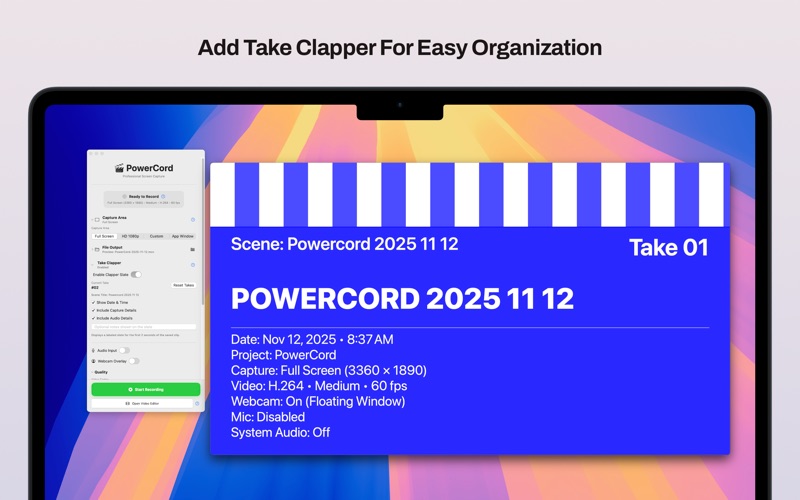
• Optional Take Clapper for easy organization during editing
• Countdown timer

Hotkeys
• Quickly start, stop, and initiate new takes with simple key strokes
• Customize hotkeys at any time to work the way you want

Video Editor
• Built-in video editor for fast turn-around projects
• Combine video tracks with titles
• Trim and arrange any video file
• Quickly export to your desired location in high-quality finals

Built for Creators
• Clean, intuitive interface that stays out of your way
• Start recording with a single click
• Real-time preview of all capture settings
• Native macOS design with support for Dark Mode

Perfect For:
• YouTube creators and streamers
• Online course instructors and educators
• Software developers creating tutorials
• Product demos and presentations
• Customer support and training videos
• Game streaming and commentary

**Why Choose PowerCord?**
Unlike basic screen recorders, PowerCord offers professional-grade features without the complexity. Every setting has been carefully crafted to give you maximum creative control while maintaining an elegant, easy-to-use interface. Whether you're creating your first tutorial or your thousandth, PowerCord adapts to your needs.