Full Description
Smart Action Camera Video Management
GoFlow Pro automatically detects and organizes videos from GoPro, DJI, Insta360, and other action cameras, making it easy to merge split clips o
Full Description

Smart Action Camera Video Management

GoFlow Pro automatically detects and organizes videos from GoPro, DJI, Insta360, and other action cameras, making it easy to merge split clips on your Mac.

Key Features
■ Smart Session Detection
– Auto-recognize GoPro, DJI, Insta360 naming patterns
– Automatic grouping by recording session
– Smart date-based organization
– Time proximity detection for unknown cameras

■ Easy Clip Merging
– Drag and drop clip selection
– One-click seamless merging
– Support for MP4, MOV, MKV formats (Pro)
– Fast processing preserving original quality
– Stream copy – no quality loss from re-encoding

■ Precise Trim Editing
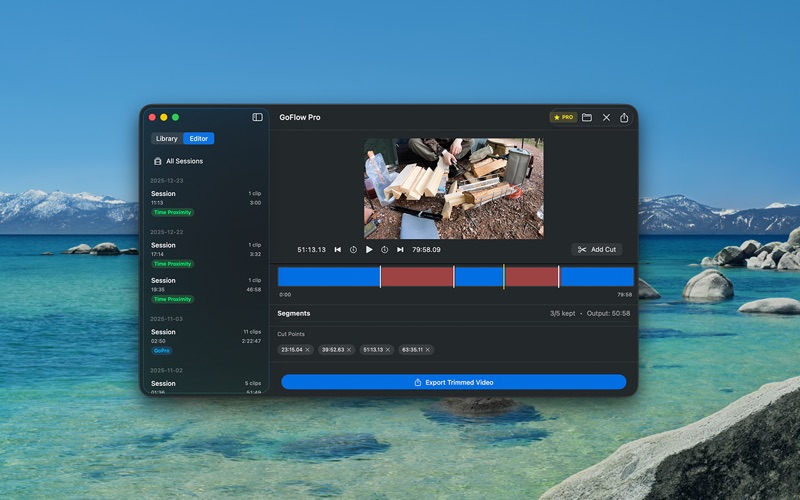
– Frame-accurate trimming
– Multiple cut points (Pro)
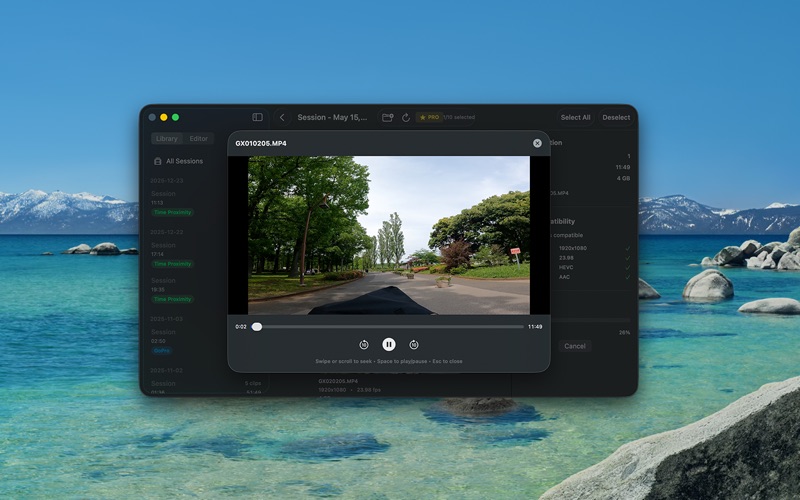
– Real-time preview
– Preview results before export
– Editor mode for focused editing workflow

■ Camera Auto-Detection
– Automatic SD card recognition when connected
– One-click import from camera
– Auto-eject after import option
– Supported cameras: GoPro, DJI, Insta360

■ Professional Interface
– Three-column library view for easy organization
– Dedicated editor mode for trimming
– Dark mode support
– Native macOS design

Perfect For
■ Long Recording Management
GoPro cameras split recordings at 4GB. GoFlow Pro automatically detects and merges these split files seamlessly.

■ Multi-Session Organization
Shot multiple sessions in one day? GoFlow Pro automatically groups clips by recording session, making it easy to find and manage your footage.

■ Pre-Edit Preparation
Organize and merge clips before importing to professional editors like Final Cut Pro or DaVinci Resolve.

■ Backup Organization
Efficiently manage and organize large video libraries from multiple shooting days.

Supported Cameras
| Camera Brand | Detection Method |
|————-|——————|
| GoPro | GH/GX prefix patterns |
| DJI | DJI_ prefix patterns |
| Insta360 | VID_ prefix patterns |
| Other | Time proximity (15 sec) |

Technical Specifications
– Input Formats: MP4, MOV, MKV
– Output Formats: MP4 (Free), MP4/MOV/MKV (Pro)
– Processing: Stream copy (no re-encoding)
– Quality: Original quality preserved
– Requires: macOS 14.0 or later

Privacy First
– All video data stored locally on your Mac
– No cloud uploads or external data transmission
– Works completely offline
– No account required

Pro Version
Free version has feature limitations. Unlock everything with Pro ($5.99):

| Feature | Free | Pro |
|———|——|—–|
| Merge Duration | 15 min | Unlimited |
| Cut Points | 1 | Unlimited |
| Output Formats | MP4 | MP4/MOV/MKV |
| Watermark | Yes | No |

■Terms of Use
Your Terms of Use:
https://artjunkie.app/en/apps/goflow-pro-ja/eula
Apple Standard EULA:
https://www.apple.com/legal/internet-services/itunes/dev/stdeula/