StepShot — turn long screen recordings into a clean screenshot library
Stop scrubbing timelines by hand
StepShot — turn long screen recordings into a clean screenshot library

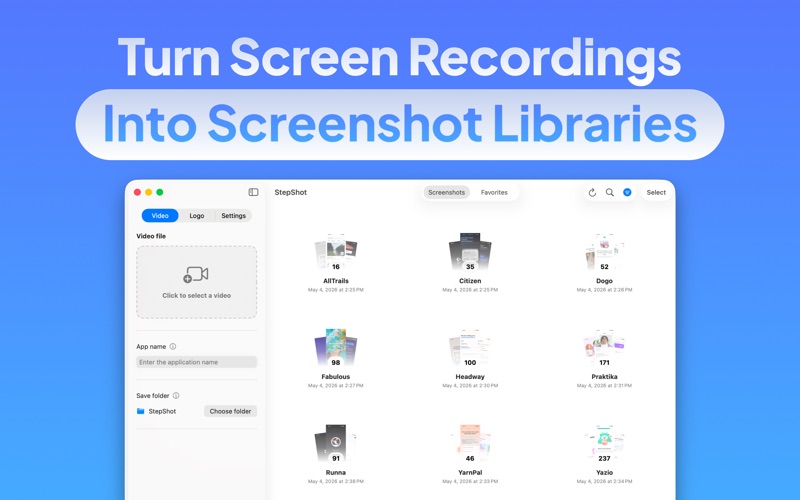
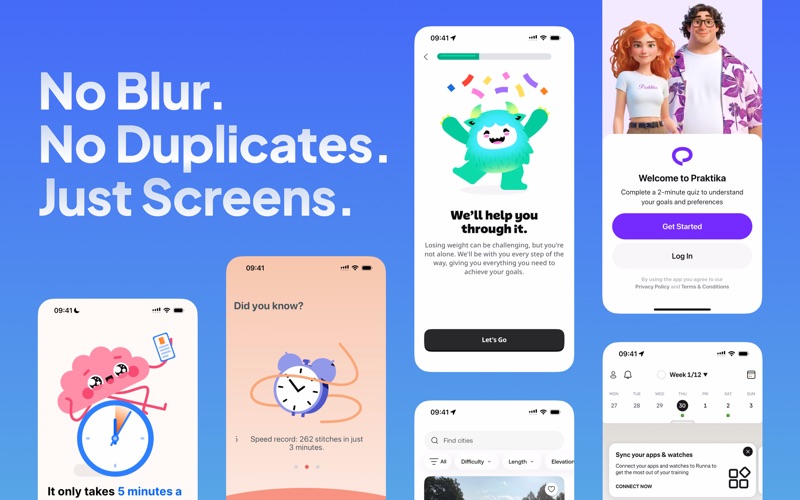
Stop scrubbing timelines by hand. StepShot analyzes your screen recordings and saves only meaningful, non-duplicate frames as images—ideal for App Store assets, documentation, tutorials, and design reviews.

WHAT IT DOES

• Smart frame extraction — Samples your video at a configurable rate, compares frames for similarity, and waits for short “stable” sequences so you don’t get bursts of nearly identical shots.
• Extraction presets — Choose Fewer frames, Balanced, or More detail in one tap, or dial in every parameter manually with Custom mode.
• Organized output — Pick a save folder and an app (or project) name; StepShot creates a dedicated subfolder for each extraction run. Rename and sort folders anytime.
• Optional rich metadata — When enabled, generates per-frame details such as timestamp, on-screen text, color palette, UI element count, and more to power search and browsing.
• On-device AI descriptions — Uses Apple Intelligence on your Mac to add a short description and keywords for each screenshot, improving search accuracy. Private and local.
• Optional compressed video — Saves a 720 px-wide MP4 copy alongside your screenshots in a “Video” subfolder.
• Branding — Apply a PNG watermark to every saved screenshot with adjustable position, size, and margin. The watermark is not burned into the exported video.
• Built-in library — Browse folders with stacked previews, open full screen, navigate with arrow keys, pinch to zoom and pan, copy to clipboard, mark Favorites, and add notes to individual screenshots.
• Selective blur — Draw a rectangle over sensitive content in full screen and apply a permanent Gaussian blur before sharing.
• Bulk actions — Select multiple screenshots or folders with click, Command-click, or marquee selection, then delete in one step. Undo deletions with a timed toast.
• Flow comparison — Compare two extraction folders side by side: added, removed, changed, and identical screens. Apple Intelligence can summarize what changed in the user journey.
• Powerful search — Search across all folders by file name, folder name, notes, indexed metadata, and AI-generated descriptions from one search field.
• Native macOS — SwiftUI interface with live progress, per-stage status, cancel, and a system notification when processing finishes.

Whether you’re capturing product flows or archiving UI states, StepShot helps you go from one long recording to a curated set of stills—fast, locally, and under your control.