Photo Cull Pro is the fastest way to review, rate, and organize your photos — with or without Lightroom
Photo Cull Pro is the fastest way to review, rate, and organize your photos — with or without Lightroom.

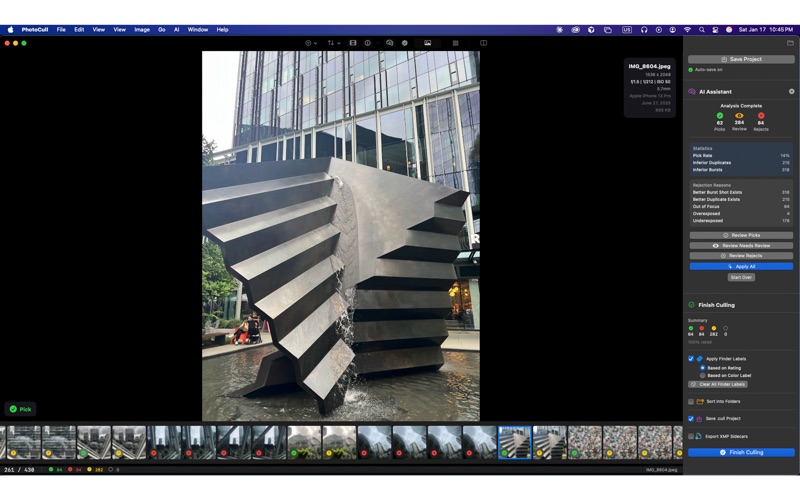
   Cull hundreds of photos in minutes using keyboard shortcuts and on-device AI that never uploads your images.

   COMPLETE CULLING WORKFLOW
   Rate photos as Pick, Reject, or Maybe with a single keystroke. When you're done, trash your rejects and sort your picks into folders — all from within the app. No Lightroom required.

   KEYBOARD-DRIVEN SPEED
   Blaze through your photos without touching the mouse. Press P to Pick, X to Reject, M for Maybe. Navigate with arrow keys. Rate 1–5 stars or apply color labels instantly. Every action has a shortcut.

   AI-POWERED ANALYSIS
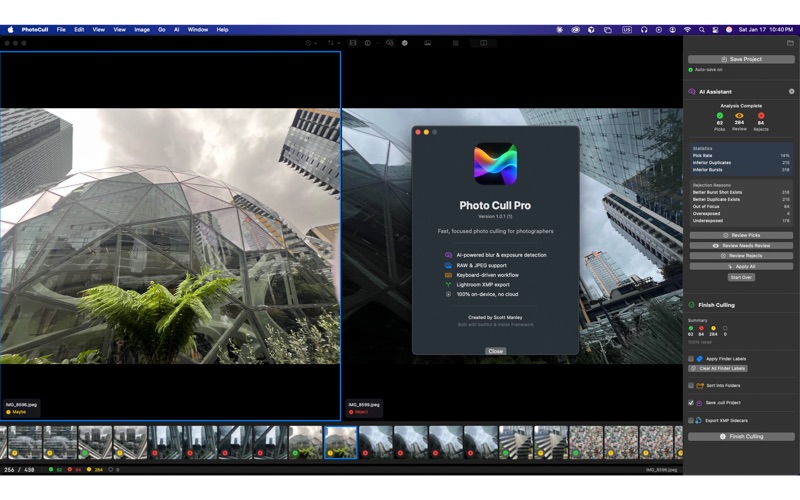
   The built-in AI assistant identifies blurry shots, exposure problems, closed eyes, and inferior duplicates. All analysis runs 100% on your Mac using Apple's ML frameworks — your photos never leave your
   computer.

   FULL RAW SUPPORT
   Works with every major camera format: CR2, CR3, NEF, ARW, DNG, RAF, ORF, RW2, PEF, SRW, plus JPEG, HEIC, PNG, TIFF, and WebP. RAW previews load in under 200ms.

   THREE VIEW MODES
   • Loupe — Full-screen single image with zoom
   • Grid — Thumbnail overview for fast scanning
   • Compare — Side-by-side comparison of similar shots

   ORGANIZE YOUR WAY
   • Sort into Picks/Rejects/Maybe folders
   • Trash rejected photos with one click (recoverable from macOS Trash)
   • Apply Finder color labels visible in macOS
   • Export XMP sidecars for seamless Lightroom integration
   • Save sessions as .cull project files to resume later

   BUILT FOR PHOTOGRAPHERS
   Whether you're a wedding photographer culling 2,000+ images, a portrait photographer picking the best expressions, or an enthusiast organizing vacation photos — Photo Cull Pro is built for your workflow.

   PRIVACY FIRST
   Zero cloud dependencies. No accounts. No uploads. All AI analysis happens on-device using Apple's Vision and Core Image frameworks. Your photos stay on your Mac.

   FREE FEATURES
   • Unlimited images
   • All three view modes
   • AI blur, exposure & duplicate detection
   • Pick/Reject/Maybe ratings
   • Star ratings (1–5) and color labels
   • Sort photos into folders (copy)
   • Trash rejected photos
   • Save & restore .cull project sessions

   PRO FEATURES ($29/year or $79 lifetime)
   • Export XMP sidecar files for Lightroom
   • Apply macOS Finder color labels to files
   • Move photos into folders (relocate originals)
   • Export CSV and text reports

   Native macOS app. No Electron. No subscriptions required for core features. Built for photographers who value their time and their privacy.