



Description
AfterFocus – Task Timer AfterFocus is a simple and calm productivity app designed to help you focus after work
AfterFocus – Task Timer

AfterFocus is a simple and calm productivity app designed to help you focus after work.
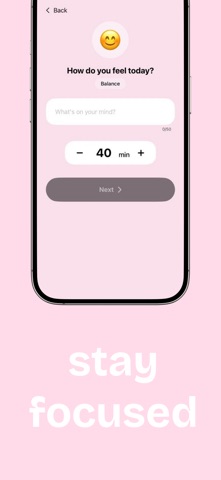
It encourages intentional work by helping you plan one task at a time and stay focused using a clean and distraction-free timer.

Many people struggle with low energy and lack of focus after a long workday. AfterFocus is built to support short, focused work sessions in a simple and mindful way.

How it works

• Choose a single task for your session
• Set your focus time
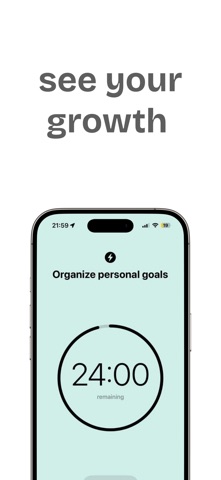
• Start the timer and work with intention
• Complete your task and build a daily routine

AfterFocus keeps everything minimal so you can focus on what matters without unnecessary complexity.

Key features

• Simple task setup
• Focus timer for intentional work sessions
• Clean and minimalist interface
• Designed for after-work productivity
• No clutter, no distractions

Designed with simplicity in mind

AfterFocus follows a calm and minimal design inspired by iOS guidelines.
It is suitable for anyone who wants a lightweight productivity tool without overwhelming features.

Who is it for

• People who want to stay focused after work
• Anyone who prefers simple productivity tools
• Users looking for a calm daily focus routine

Privacy first

AfterFocus does not require an account and does not collect personal data.
Your tasks stay on your device.

Build a focused habit, one task at a time, with AfterFocus.
Category: Productivity(96543)
Version: 1.0
BundleId: barbarii.oleg.AfterJobFocus
Developer: Barbarii Oleg
Updated: 2026-01-20
