Protect your files with password-encrypted ZIP compression.
SharkZip makes it easy to secure your important files and folders with password protection. Create encrypted ZIP archives in seconds, right from your Mac

KEY FEATURES

Password Protection – Protect ZIP files with a password

Zip Folders & Files – Compress entire folders or individual files

Extract Archives – Unzip password-protected files with ease

Optional Password – Create standard zips without passwords if you prefer

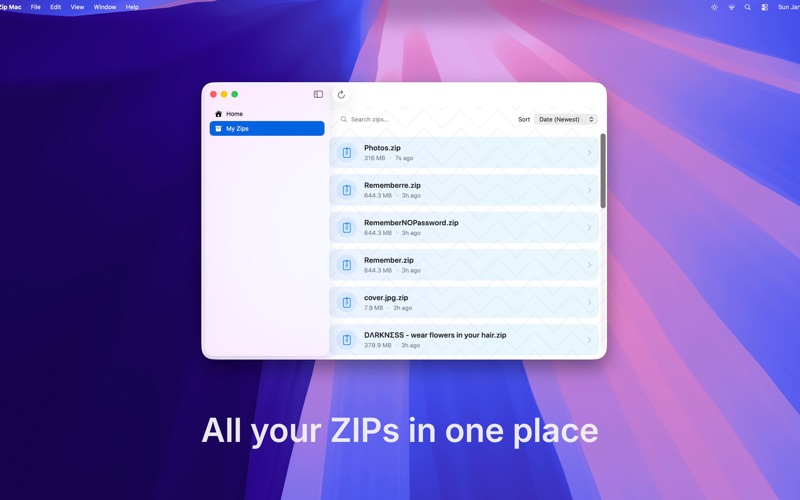
Search & Sort – Quickly find archives by name, date, or size

Rename Archives – Organize files by renaming zips directly in the app

Drag & Drop – Simply drag files or folders onto SharkZip to create archives

Custom Naming – Name your zip files before creating them

Manage Your Archives – View, share, and organize all your zipped files

Share Anywhere – Send protected files via email, Messages, AirDrop, or cloud services

Fast Compression – Create zips quickly with real-time progress tracking

Privacy First – All files stay on your device, no cloud uploads

HOW IT WORKS

1. Select a file or folder from your device
2. Set a password to protect your archive
3. Create your encrypted ZIP file
4. Share or store your protected archive

PERFECT FOR
- Protecting sensitive documents
- Sharing confidential files securely
- Compressing large folders for storage
- Sending password-protected files to colleagues
- Organizing files for archival

SECURITY & PRIVACY
All compression happens locally on your Mac. Your files never leave your Mac unless you choose to share them.