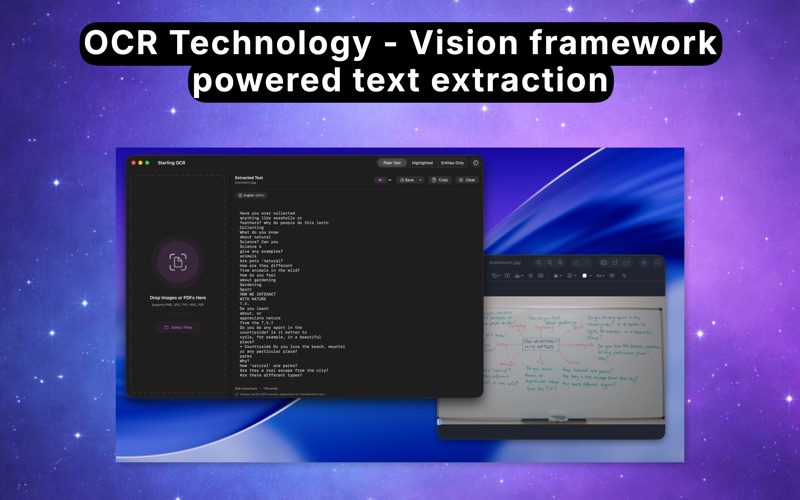
Starling OCR is the fastest way to extract text from images and PDFs on your Mac. Simply drag and drop any file, and get perfectly formatted text in seconds.

POWERFUL TEXT RECOGNITION
• Advanced OCR powered by Apple's Vision framework
• Extract text from screenshots, photos, scanned documents, and PDFs
• Supports 50+ languages with automatic detection
• Preserves formatting including paragraphs, lists, and document structure

SMART ENTITY DETECTION
• Automatically identifies phone numbers, email addresses, URLs, and physical addresses
• One-click to call, email, or open detected links
• Export with entity highlighting for easy reference

MULTIPLE EXPORT OPTIONS
• Copy extracted text to clipboard instantly
• Save as plain text (.txt) file
• Export as ODT document with formatting preserved
• Entity highlighting in exported documents

100% PRIVATE & SECURE
• All processing happens locally on your Mac
• No internet connection required
• No data is ever sent to external servers
• No analytics, no tracking, no accounts

DESIGNED FOR PRODUCTIVITY
• Clean, native macOS interface
• Drag and drop simplicity
• Keyboard shortcuts for power users
• Works offline - perfect for sensitive documents

PERFECT FOR
• Digitizing handwritten notes and documents
• Extracting text from screenshots and images
• Converting scanned PDFs to editable text
• Capturing text from photos of whiteboards or books
• Processing receipts and invoices
• Researchers, students, and professionals

One-time purchase. No subscription. No hidden fees. All future updates included.

Have questions or feedback? Contact us at [email protected]