Unbar: The intelligent way to scale your favorite movies to full-screen. Designed for Mac, perfected for ultrawide displays.

Stop letting black bars (letterboxing) shrink your viewing experience. Unbar is a powerful Safari extension that intelligently scales cinematic content to utilize every inch of your Mac's stunning display (especially with ultrawide). From the notch to the corners, it’s time to go truly full-screen.

Supported Streaming Services
Unbar works seamlessly with your favorite platforms, including:
 - Netflix, Disney+, Apple TV+, Hulu, Amazon Prime Video, YouTube, Paramount+
 ...and more streaming services coming in future updates!

Key Features
 - Cinematic Scale-to-Fill: Perfectly expands ultra-wide (2.35:1, 21:9, etc.) movies to fill your 16:10 MacBook screen, eliminating distractions.
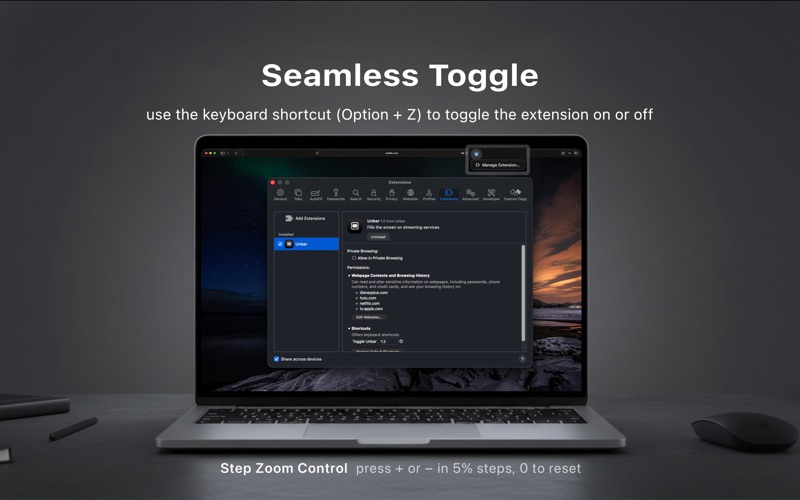
 - Step Zoom Control (New!): Press + or − to fine-tune the zoom in 5% steps, or 0 to snap back to the default view. Dial in exactly how much of the frame you want to keep.
 - Remembers Your Preference: Your zoom level is saved for each streaming service, so every site reopens exactly the way you left it.
 - Edge-to-Edge Immersion: Extends video into the notch area, providing a seamless and massive viewing area that feels larger than life.
 - One-Click Simplicity: Toggle the effect instantly via the Safari toolbar icon. No complicated menus or reloads required.
 - Power User Shortcuts: Use customizable keyboard shortcuts (like Option + Z) for instant control without ever touching your mouse.
 - Privacy-Focused & Lightweight: Built with native Safari technologies. It doesn't track your data or slow down your browsing.

How to Use
 - Open a movie on Netflix, Disney+, Amazon Prime Video, Apple TV+, YouTube, ... in Safari.
 - Grant permission to access the website when prompted by Safari (One-time setup).
 - Click the Unbar icon in your toolbar or use shortcut (Opt + Z).
 - Watch as the black bars disappear, replaced by an immersive, full-screen masterpiece.
 - Fine-tune the framing with + and − , or press 0 to return to the default full-fill view.

Note: If the extension doesn't trigger, please ensure Unbar is set to 'Allow' in Safari > Settings > Websites.
Prefer the classic one-click toggle? Step zoom can be turned off anytime in Safari > Settings > Extensions > Unbar (Setting button).