
Description
SimDefaults lets you view and edit UserDefaults, manage app permissions, and override language settings for apps running in the iOS Simulator, all from a native macOS interface
SimDefaults lets you view and edit UserDefaults, manage app permissions, and override language settings for apps running in the iOS Simulator, all from a native macOS interface.

UserDefaults Editor

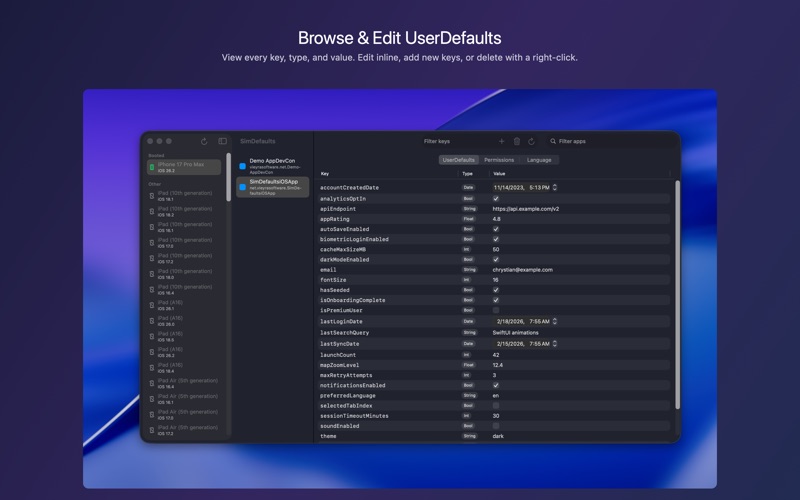
Browse, search, add, edit, and delete UserDefaults entries. Supports strings, numbers, booleans, dates, and more. Right click any row to copy or delete.

Permissions Manager

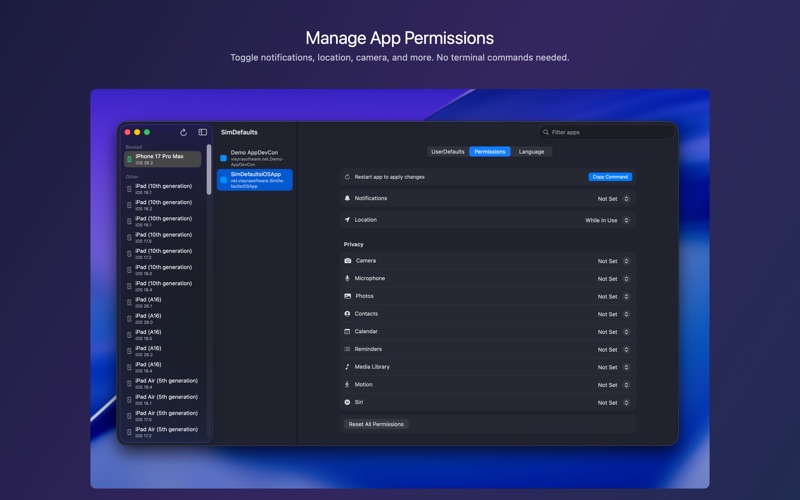
Toggle notifications, location, camera, microphone, photos, contacts, and other privacy permissions without writing code or running terminal commands.

Language Overrides

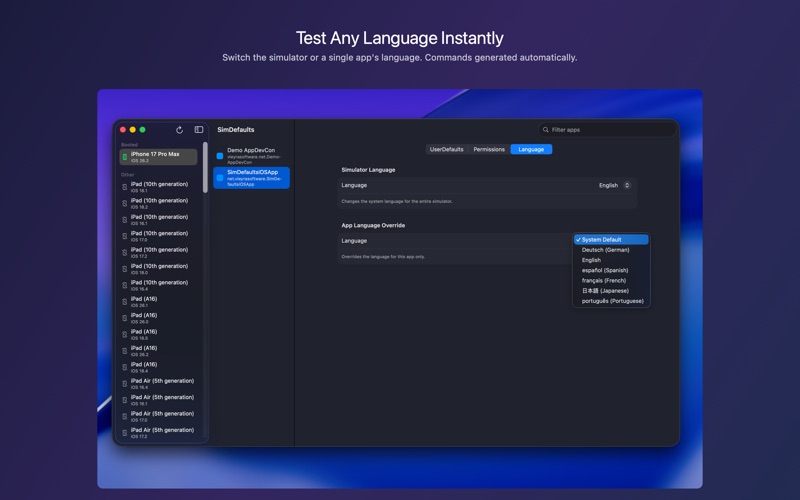
Change the simulator wide language or override a single app language for localization testing. Terminal commands are generated automatically.

Built for developers who work with Xcode and the iOS Simulator every day.
Category: ()
Version: 2026.02.19
BundleId: net.vieyrasoftware.SimDefaults
Developer: Chrystian Vieyra
Updated: 2026-02-20
