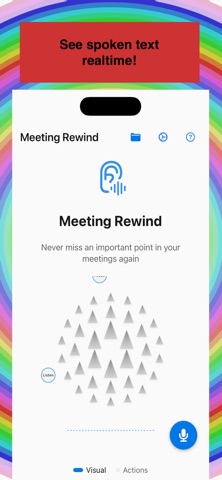
Meeting Rewind is built for anyone who needs to catch every word—executives in back-to-back meetings, students in lectures, support agents on calls, interviewers, and anyone in fast-paced conversation
Meeting Rewind is built for anyone who needs to catch every word—executives in back-to-back meetings, students in lectures, support agents on calls, interviewers, and anyone in fast-paced conversations.

What it does
- Record → Transcript → Save or Discard: Tap the floating button to start recording; tap again to stop. A transcript (on-device speech recognition) is shown; you can save the recording to the app’s library (Core Data) and share it, export to Notes, add to Reminders, or discard it.
- Instant rewind: The app continuously buffers the last 15 seconds to 3 minutes of audio (configurable). When you miss something, trigger replay to hear that segment again without saving. The buffer is overwritten in real time.

Use it anywhere
- Floating button — Draggable overlay: tap to start or stop recording (Step 1); after stop, transcript sheet (Step 2) with Save/Discard (Step 3). Long-press to expand menu (Settings, Accessibility) or to rewind when recording.
- Saved — Button on the main (Root) screen opens the saved recordings library: play, view transcript, share, export to Notes, add to Reminders, or delete.
- Widgets — Home screen widget (Start/Stop/Replay), Control Center widget, and Live Activity (iOS 18).
- Apple Watch (Wrist Rewind) — Start/stop buffering and trigger replay from your wrist via WatchConnectivity.
- Keyboard — Meeting Rewind keyboard: Rewind, Start/Stop, Open App.
- Share sheet — Start/stop buffering or replay from the system share menu.
- Siri / Shortcuts — “Hey Siri, start Meeting Rewind” or “Stop Meeting Rewind”; App Intents support optional buffer length per shortcut.
- Automation — In Settings, instructions to auto-start when Meeting focus is on or when a calendar event starts (via Shortcuts).