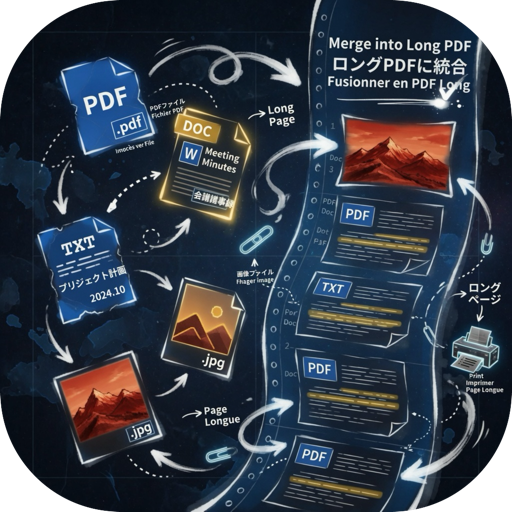
UniMerge is a focused document composition tool for macOS that helps you organize, reorder, and export mixed pages into a clean final output
UniMerge is a focused document composition tool for macOS that helps you organize, reorder, and export mixed pages into a clean final output.
Import supported files, review pages visually, adjust structure with precision, and export your project as a single PDF or a long image.

UniMerge is designed for users who want a simple and efficient workspace for collecting content from different sources and turning it into one organized result.

Key Features

Import and combine multiple file types
	•	PDF
	•	Word documents (.doc, .docx)
	•	Text files (.txt, .md, .rtf)
	•	Images (.png, .jpg, .jpeg, .bmp, .tif, .tiff, .webp)

Flexible page-based editing
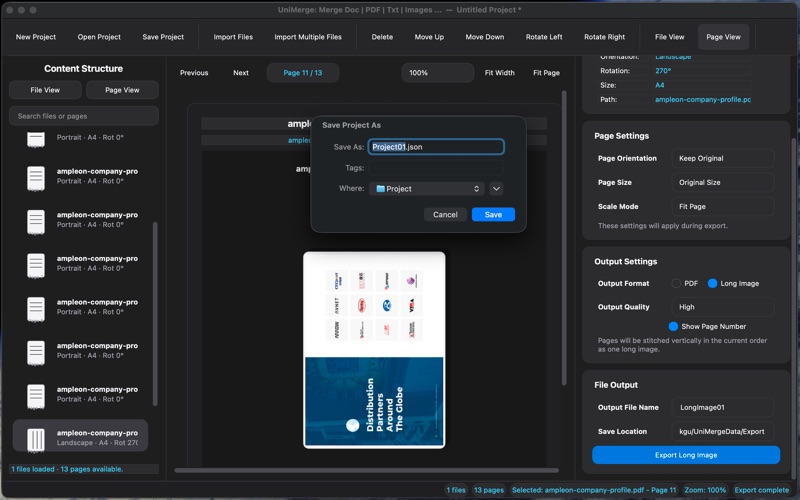
	•	Switch between File View and Page View
	•	Reorder files and pages
	•	Duplicate pages
	•	Insert blank pages
	•	Replace the current page
	•	Delete selected files or pages
	•	Rotate pages left or right

Live visual preview
	•	Preview imported content directly in the workspace
	•	Review PDF, image, Word, and text content before export
	•	Navigate pages with previous/next controls
	•	Use zoom, fit width, and fit page tools for easier inspection

Project workflow
	•	Create, open, save, revert, and close projects
	•	Keep your work editable across sessions
	•	Reopen projects and continue organizing content later

Export options
	•	Export the current project as a single PDF
	•	Export the current project as a long image
	•	Export the current selection when needed

Templates and reusable settings
	•	Save your output settings as templates
	•	Apply saved templates to new projects
	•	Manage template files for repeat workflows

Designed for everyday document workflows

UniMerge is useful for tasks such as:
	•	Merging reference pages into one deliverable
	•	Collecting notes, text, and screenshots into a single document
	•	Preparing visually ordered materials for sharing
	•	Building simple project packets from mixed source files

macOS experience

UniMerge is built specifically for macOS with a streamlined desktop workflow, keyboard-friendly editing actions, and a workspace optimized for page organization and export.