Piton AI is an AI-powered search engine and knowledge assistant app. It provides a conversational, voice-first interface where users can ask any question and get comprehensive, spoken answers — similar to a personal AI assistant like the others, but with richer, more detailed responses.
Key Features :
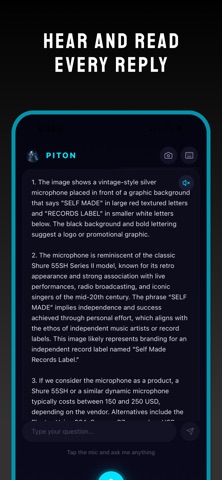
Voice Search — Tap the mic to ask questions by voice. The app records, transcribes, and sends your query to the AI, then reads the answer back aloud using text-to-speech.
Text Search — Toggle a keyboard input to type questions directly.
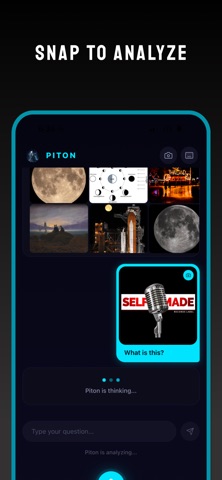
Camera / Image Analysis — Take a photo or pick one from your gallery, and Piton will analyze it — identifying objects, food, places, text, math problems, plants, animals, products, and more.
A fast copy and paste
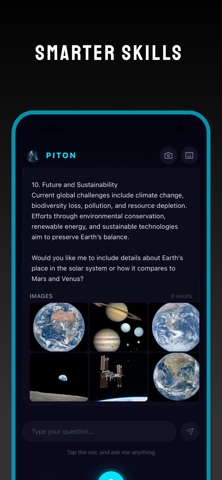
AI-Powered Answers — Powered by an AI backend, Piton handles a wide range of topics: math, translations, recipes, health, coding, travel, finance, history, science, pop culture, and more. Answers are conversational with full context.
Conversation Memory — Follow-up questions use the full conversation history, so the AI understands context across multiple queries.
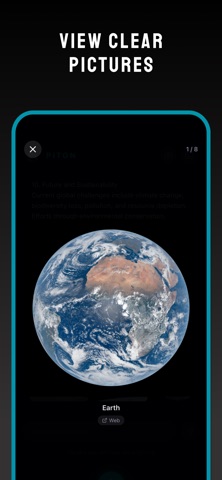
Web Image Search — For each answer, Piton fetches relevant real-world images from the web and displays them alongside the response.
Text-to-Speech — Answers are automatically spoken aloud, with the ability to toggle speech on/off per response.
Smart Suggestions — The home screen shows randomized suggestion chips (e.g. "Capital of Japan", "Solve 245 × 38", "Recipe for pasta") to help users get started quickly.
Story View — The Piton avatar in the top-left corner is tappable, opening an Instagram-style story viewer with a progress bar and auto-close.
Offline Detection — The app detects network status and shows an offline indicator when there's no internet connection.
Haptic Feedback — Micro-interactions with haptic feedback on button presses for a polished native feel.